Python Decorators Explained From First Principles
Key Highlights
- A Python decorator is a callable that receives an object, commonly a function or class, and returns a replacement or modified object.
- The @decorator syntax is essentially syntactic sugar for assigning the decorated object back to its name: function = decorator(function).
- Most function decorators use a wrapper function, and Closures allow that wrapper to retain access to the original function.
- Good decorators usually accept *args and **kwargs, return the wrapped function's result, and use functools.wraps to preserve useful metadata.
- Decorators can handle logging, timing, caching, registration, authorization, and class transformation, but excessive or opaque decoration can make code harder to understand.
A function can change without you editing its body. How?
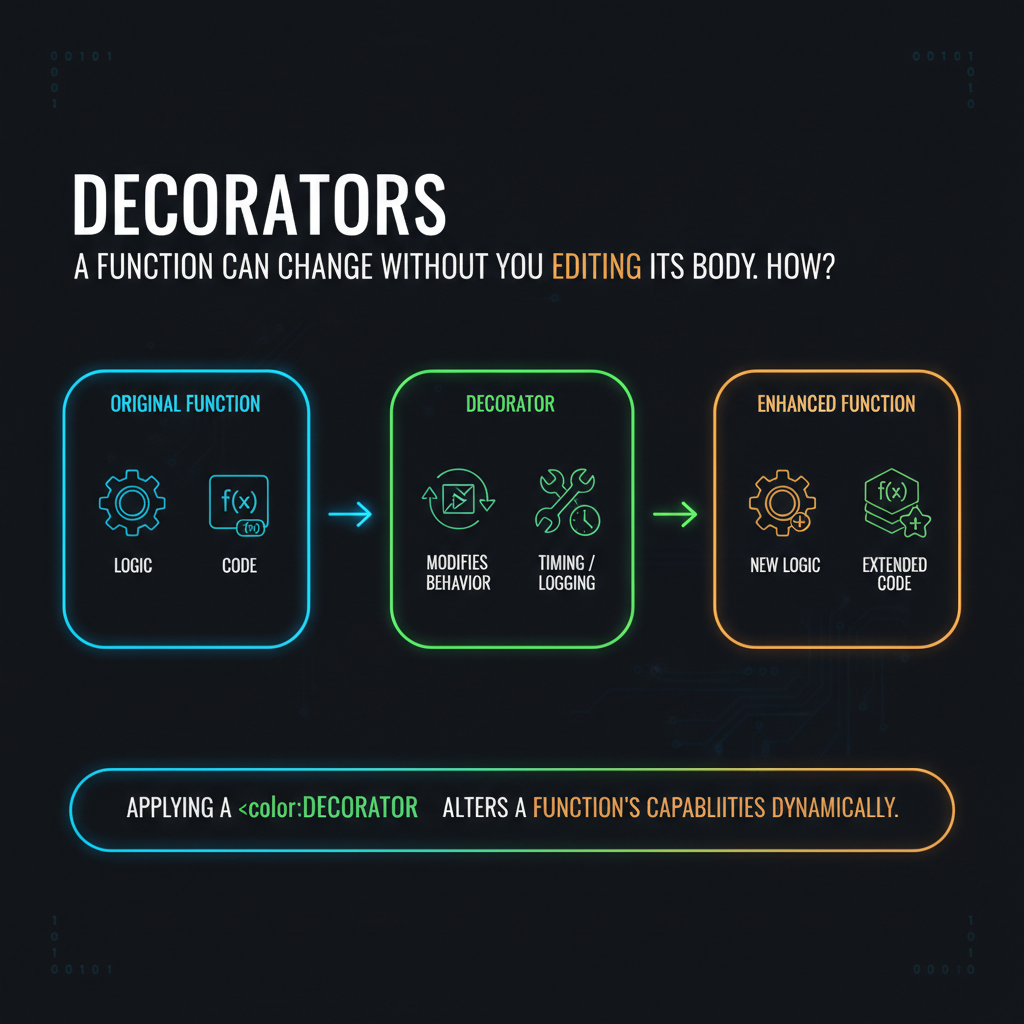
Look at this:
@log_calls
def calculate_total(price, tax):
    return price + tax
There is no print(), logging statement, or timing code inside calculate_total(). Yet calling it can produce additional behavior. So where did that behavior come from?
The answer is decorators.
If you have seen @property, @classmethod, @staticmethod, @dataclass, or framework decorators such as @app.route(...), you have already encountered them. The confusing part is usually not the @ symbol itself. It is understanding what Python actually does when it encounters one.
This blog breaks down decorators from first principles: functions as objects, wrapper functions, Closures, decorator syntax, arguments, stacking, methods, classes, standard-library decorators, and the design trade-offs that come with them.
What Are Decorators in Python?
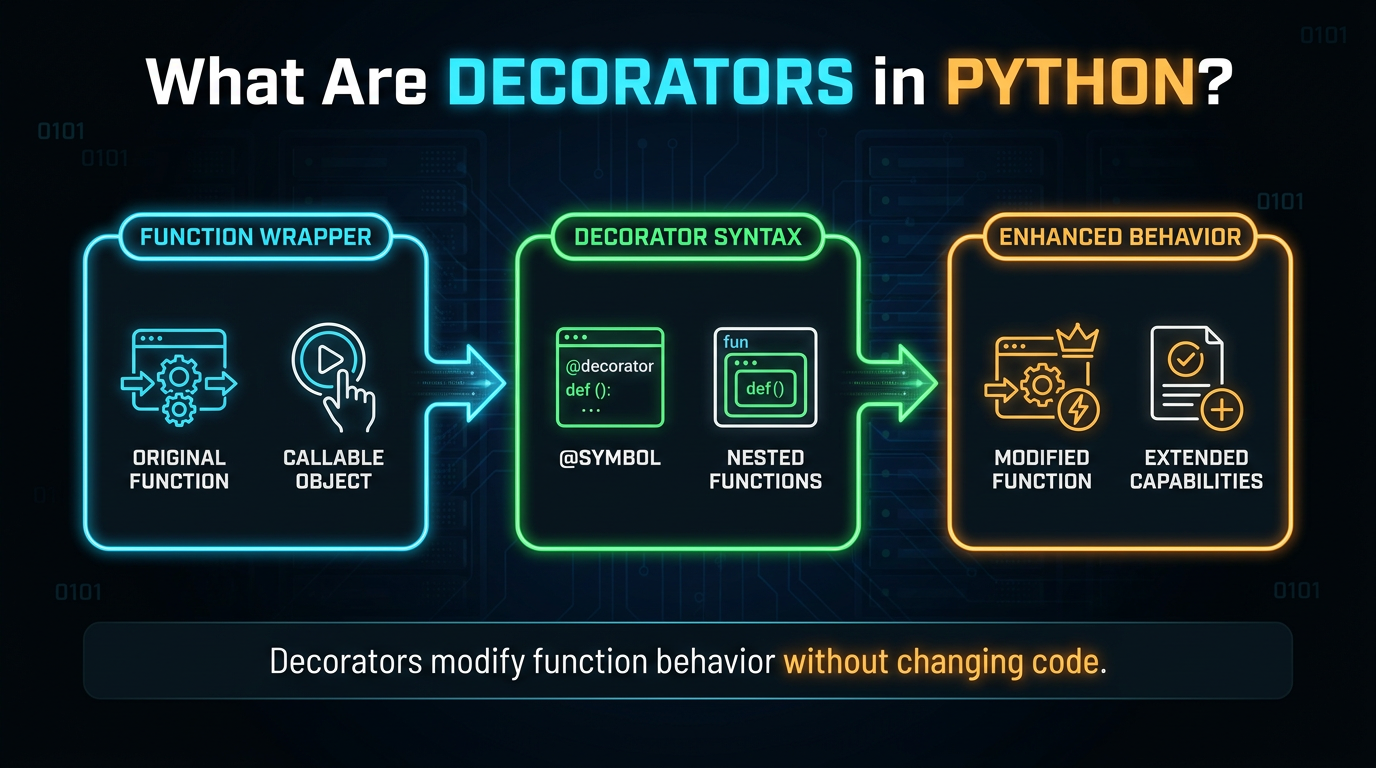
A decorator is essentially a callable that accepts an object and returns an object.
The typical pattern for functions is:
function → decorator → replacement function
For example:
def my_decorator(function):
    return function
This is technically a decorator, even though it does nothing.
You can use it like this:
@my_decorator
def greet():
    return "Hello"
The function still works:
print(greet())Output:
HelloThe important point is that a decorator does not necessarily have to "add behavior." Its fundamental job is to receive an object and return an object.
That returned object could be:
- the original function
- a wrapper function
- another callable object
- a modified class
- another object implementing the required behavior
This is the foundation of what are decorators in Python.
The @ Syntax is Just Assignment
This is the most important decorator concept to understand.
When you write:
@my_decorator
def greet():
    return "Hello"
Python applies the decorator to the function after creating the function object.
Conceptually, it is equivalent to:
def greet():
    return "Hello"

greet = my_decorator(greet)
So:
@my_decorator
def greet():
    ...
means roughly:
def greet():
    ...

greet = my_decorator(greet)
The decorator's return is reflected in the name greet. For this reason, a decorator can use a wrapper in place of the original function.
This also explains why decorators are applied when the definition is executed rather than each time the function is called. For a module-level function, this commonly happens while the module is being imported.
Functions Are Objects, and That Makes Decorators Possible
Decorators depend on a basic Python feature: functions are objects.
You can assign a function to another name:
def greet():
    return "Hello"

say_hello = greet

print(say_hello())
A function can be sent to another function:
def execute(function):
    return function()

execute(greet)
You can also return a function:
def make_greeter():
    def greet():
        return "Hello"

    return greet

hello = make_greeter()
print(hello())
Decorators combine these abilities.
A decorator can:
- Receive a function.
- Create another function.
- Make that new function call the original.
- Return the new function.
That is the basic decorator function in Python pattern.
Your First Real Python Decorator
Let's build one that prints a message before and after a function runs.
def announce(function):
    def wrapper():
        print("Before")
        result = function()
        print("After")
        return result

    return wrapper
Use it:
@announce
def greet():
    print("Hello")

greet()
Output:
Before
Hello
After
What actually happened?
At definition time:
greet = announce(greet)announce() received the original greet function.
It created wrapper.
It returned wrapper.
The name greet now refers to that wrapper.
So when you later write:
greet()you are calling the wrapper, which then calls the original function. This is the core mechanism behind a Python function decorator.
The Closure Behind the Decorator
This is the component that frequently gives designers a strange appearance.
Inside announce():
def announce(function):
    def wrapper():
        return function()

    return wrapper
Where does wrapper() get function from?
function belongs to the enclosing scope of wrapper().
The inner function retains access to that variable even after announce() has returned.
That retained reference is a Closure.
Conceptually:
announce(function)
       |
       | creates
       ↓
    wrapper()
       |
       | remembers
       ↓
   original function
This is why python closures and decorators are so closely connected.
A common decorator pattern is:
outer function receives original function
            ↓
inner function remembers original function
            ↓
outer function returns inner function
The closure gives the wrapper access to the function it is supposed to wrap.
Why *args and **kwargs Matter
Our first decorator only works with functions that take no arguments:
@announce
def greet():
    print("Hello")
Try:
@announce
def greet(name):
    print(f"Hello {name}")
Then:
greet("Maya")fails because our wrapper is defined as:
def wrapper():It does not accept name.
A general-purpose decorator usually uses:
def announce(function):
    def wrapper(*args, **kwargs):
        print("Before")
        result = function(*args, **kwargs)
        print("After")
        return result

    return wrapper
Now this works:
@announce
def greet(name, punctuation="!"):
    print(f"Hello {name}{punctuation}")

greet("Maya", punctuation=".")
Output:
Before
Hello Maya.
After
*args collects positional arguments.
**kwargs collects keyword arguments.
The wrapper then forwards them:
function(*args, **kwargs)This allows one decorator to work with many different function signatures at runtime.
A Decorator Must Usually Return the Original Result
Here's an easy mistake to make.
def announce(function):
    def wrapper(*args, **kwargs):
        print("Before")
        function(*args, **kwargs)
        print("After")

    return wrapper
Now decorate:
@announce
def add(a, b):
    return a + b
Then:
result = add(2, 3)
print(result)
The result is:
NoneWhy?
Because the wrapper called function() but didn't return its result.
The correct version is:
def announce(function):
    def wrapper(*args, **kwargs):
        print("Before")
        result = function(*args, **kwargs)
        print("After")
        return result

    return wrapper
Now:
print(add(2, 3))returns:
5Unless a decorator intentionally changes a function's return behavior, it should normally preserve the result of the wrapped function.
Why functools.wraps Matters
Our decorator has another problem.
Consider:
def announce(function):
    def wrapper(*args, **kwargs):
        return function(*args, **kwargs)

    return wrapper
Now:
@announce
def greet():
    """Return a greeting."""
    return "Hello"
Check:
print(greet.__name__)
print(greet.__doc__)
You might see information from the wrapper instead of the original greeting if metadata preservation isn't maintained.
That's where functools.wraps comes in.
from functools import wraps

def announce(function):
    @wraps(function)
    def wrapper(*args, **kwargs):
        return function(*args, **kwargs)

    return wrapper
Now the wrapper retains important metadata from the wrapped function, including attributes such as its name and docstring. wraps also establishes __wrapped__, which helps introspection tools identify the underlying function.
For most reusable decorators, this should become standard practice.
A Practical Python Decorator Example
Here's a useful timing decorator:
from functools import wraps
from time import perf_counter

def timed(function):
    @wraps(function)
    def wrapper(*args, **kwargs):
        start = perf_counter()

        try:
            return function(*args, **kwargs)
        finally:
            elapsed = perf_counter() - start
            print(f"{function.__name__} took {elapsed:.3f}s")

    return wrapper
Use it:
@timed
def calculate():
    return sum(range(1_000_000))

calculate()
The elapsed time is recorded, but the function's return value is maintained. Take note of the final block. The timing code continues to run even if calculate() raises an exception, but the initial exception keeps spreading. For measurement, that's frequently just what you want.
Decorators Run at Definition Time
This distinction is easy to miss.
Consider:
def decorate(function):
    print(f"Decorating {function.__name__}")
    return function

@decorate
def greet():
    return "Hello"
The message is printed when the function definition is executed.
Calling:
greet()doesn't apply decorate() again.
The decorator itself runs during decoration. The wrapper, if one exists, runs when the decorated function is called. This distinction matters in applications where decorators register routes, commands, tests, plugins, or other objects during module import.
Decorators With Arguments
What if you want:
@repeat(3)
def greet():
    print("Hello")
Now repeat(3) isn't directly receiving the function. Instead, it first needs to receive the configuration and return a decorator.
That requires three layers:
def repeat(times):
    def decorator(function):
        @wraps(function)
        def wrapper(*args, **kwargs):
            for _ in range(times):
                function(*args, **kwargs)

        return wrapper
    return decorator
Use it:
@repeat(3)
def greet():
    print("Hello")

greet()
Output:
Hello
Hello
Hello
The three levels have different jobs:
repeat(3)
    ↓
receives decorator configuration

decorator(function)
    ↓
receives the function

wrapper(*args, **kwargs)
    ↓
receives function-call arguments
And:
@repeat(3)
def greet():
    ...
is approximately:
greet = repeat(3)(greet)This is why a Python decorator with arguments needs an additional layer.
A Parameterized Retry Decorator
A more realistic parameterized decorator Python example is retry behavior:
from functools import wraps

def retry(times, exceptions=(Exception,)):
    def decorator(function):
        @wraps(function)
        def wrapper(*args, **kwargs):
            last_error = None

            for _ in range(times):
                try:
                    return function(*args, **kwargs)
                except exceptions as error:
                    last_error = error

            raise last_error

        return wrapper

    return decorator
Use:
@retry(3, exceptions=(TimeoutError,))
def fetch_data():
    ...
The important design issue isn't the decorator syntax. It's the retry policy.
Before adding automatic retries, consider:
- Which exceptions are safe to retry?
- Is the operation idempotent?
- Should there be a delay?
- Should the delay increase between attempts?
- Should failures be logged?
- What happens after the final attempt?
A decorator can hide a complex policy behind a very small line of code, so the abstraction needs to remain understandable.
How Multiple Decorators Work
You can stack decorators:
@outer
@inner
def greet():
    print("Hello")
This is equivalent to:
greet = outer(inner(greet))The decorator closest to the function is applied first.
For example:
def outer(function):
    @wraps(function)
    def wrapper(*args, **kwargs):
        print("Outer before")
        result = function(*args, **kwargs)
        print("Outer after")
        return result

    return wrapper


def inner(function):
    @wraps(function)
    def wrapper(*args, **kwargs):
        print("Inner before")
        result = function(*args, **kwargs)
        print("Inner after")
        return result

    return wrapper
Then:
@outer
@inner
def greet():
    print("Hello")
produces:
Outer before
Inner before
Hello
Inner after
Outer after
Decorator order matters.
A good rule is:
To comprehend application order, read stacked decorators from bottom to top; to comprehend the resulting wrapper chain, think from outside to inside.
Decorators on Methods
Decorators aren't limited to standalone functions.
They can wrap methods:
from functools import wraps

def log_calls(function):
    @wraps(function)
    def wrapper(*args, **kwargs):
        print(f"Calling {function.__name__}")
        return function(*args, **kwargs)

    return wrapper


class User:
    def __init__(self, name):
        self.name = name

    @log_calls
    def greet(self):
        return f"Hello {self.name}"
Now:
user = User("Maya")
print(user.greet())
When the method is called, the instance is passed as the first positional argument to the wrapper.
That's why:
*argsis useful for general-purpose decorators. It allows the same wrapper pattern to work with ordinary functions and methods.
Decorator Order With classmethod, staticmethod, and property
Python's built-in decorators demonstrate an important point: decorators don't all simply return ordinary wrapper functions.
For example:
class User:

    @classmethod
    def create(cls):
        return cls()
Decorator order can matter.
Compare:
class User:

    @classmethod
    @log_calls
    def create(cls):
        return cls()
with:
class User:

    @log_calls
    @classmethod
    def create(cls):
        return cls()
In the first version, log_calls receives the ordinary function first, and then classmethod transforms the result. In the second, log_calls receives the classmethod object.
A decorator designed for normal functions may not work correctly with that object. This is why method-shaping decorators such as classmethod, staticmethod, and property require attention to ordering.
Python Built-in Decorators You Already Use
Some of the most familiar decorators are built into Python or its standard library.
@property
class Circle:
    def __init__(self, radius):
        self.radius = radius

    @property
    def area(self):
        return 3.14159 * self.radius ** 2
Now:
circle.areacan be used like an attribute rather than:
circle.area()property is a descriptor, so it is more precise to say that it transforms the method into a managed attribute rather than thinking of it as simply adding a wrapper function.
@classmethod
class User:
    @classmethod
    def anonymous(cls):
        return cls()
The method receives the class as its first argument.
@staticmethod
class Email:
    @staticmethod
    def normalize(value):
        return value.strip().lower()
The function does not receive an automatically supplied instance or class argument.
@dataclass
from dataclasses import dataclass

@dataclass
class Point:
    x: int
    y: int
The class is passed through the decorator, which transforms it.
@functools.cache and @functools.lru_cache
These decorators add caching behavior to functions. For lru_cache, arguments must be hashable because cached calls are keyed using their arguments.
These examples look very different, but the underlying decorator idea remains:
object → transformation → replacement/modified object
Python Property Decorator: What Makes It Different?
The Python property decorator deserves special attention because it doesn't fit the beginner's "wrapper function" mental model.
Consider:
class User:
    def __init__(self, name):
        self._name = name

    @property
    def name(self):
        return self._name
Here:
@property
def name(self):
causes the function to be transformed into a property descriptor.
So:
user.nameinvokes the property's access behavior.
This is a good reminder that a decorator is defined by what it receives and returns, not by the assumption that it always creates a closure around a function.
Python Class Decorators
Decorators can operate on classes too.
For example:
def add_table_name(cls):
    cls.table_name = cls.__name__.lower()
    return cls
Use it:
@add_table_name
class User:
    pass
Now:
print(User.table_name)produces:
userThe syntax is equivalent to:
class User:
    pass

User = add_table_name(User)
The class decorator receives the class object and returns the class object, potentially after modifying it. This is a Python class decorator.
When a class specifically chooses to undergo a local change, class decorators may be helpful. When you don't have to manage class creation or enforce inherited behavior throughout a hierarchy, they are frequently easier to use than metaclasses.
Class Decorators With Arguments
Class decorators can also be configured.
def table(name):
    def decorator(cls):
        cls.table_name = name
        return cls

    return decorator
Then:
@table("users")
class User:
    pass
is approximately:
User = table("users")(User)This is the same three-layer structure used by function decorators with arguments:
configuration
     ↓
decorator
     ↓
class
Decorators Can Be Callable Objects
A decorator does not have to be a function. Any callable can potentially serve as a decorator.
For example:
from functools import wraps

class CountCalls:
    def __init__(self, function):
        self.function = function
        self.count = 0
        wraps(function)(self)

    def __call__(self, *args, **kwargs):
        self.count += 1
        return self.function(*args, **kwargs)
Use:
@CountCalls
def greet():
    return "Hello"
Then:
greet()
greet()

print(greet.count)
Output:
2Instead of referring to a wrapper function, the decorated name now denotes a callable object. When the decorator requires a persistent state, this pattern comes in handy.
Decorator State and Closures
Decorator state can also be stored in closures.
from functools import wraps

def count_calls(function):
    count = 0

    @wraps(function)
    def wrapper(*args, **kwargs):
        nonlocal count
        count += 1
        print(f"{function.__name__} called {count} times")
        return function(*args, **kwargs)

    return wrapper
Use:
@count_calls
def greet():
    return "Hello"
Every decorated function has a unique count. Although concealed states have costs, they can be helpful.
Consider:
- thread safety
- resetting state during tests
- memory usage
- debugging
- whether the state belongs somewhere more explicit
Closures make state easy to keep private, but "easy to hide" isn't always the same as "easy to maintain."
Decorators and Context Managers: What's the Difference?
Decorators and context managers both wrap behavior, but they wrap different scopes.
A decorator:
@timed
def build_index():
    ...
can apply behavior to every call of build_index().
A context manager:
with timer():
    build_index()
    save_index()
applies behavior to a particular execution block.
So:
Decorator
→ attaches behavior to a definition
Context manager
→ attaches behavior to an execution block
Choose a decorator when the behavior naturally belongs to the function or method itself. Choose a context manager when the behavior should surround a specific block of execution.
Decorators vs Inheritance and Composition
A decorator isn't automatically the best way to add behavior.
Suppose you need logging for one method:
@log_calls
def save(self):
    ...
A decorator can be unambiguous. However, overriding methods can get around a decorated base method if behavior needs to be shared throughout an inheritance hierarchy:
class Base:
    @log_calls
    def save(self):
        ...

class Child(Base):
    def save(self):
        ...
Child.save() isn't automatically decorated just because Base.save() was.
Decorators are local to the object they decorate.
Inheritance, on the other hand, is designed to express relationships between classes.
Composition may be a better choice when behavior needs to be explicit and configurable between objects.
The right question isn't:
"Can I use a decorator?"
It is:
"Does this behavior naturally belong around this definition?"
Decorator Pattern vs Python Decorators
You may encounter the phrase decorator pattern in Python. The programming design pattern called the Decorator Pattern and Python's @decorator syntax are related in spirit but aren't identical concepts.
The general design-pattern idea is to attach additional behavior to an object without changing its underlying implementation. Python's decorator syntax is a language feature that applies a callable to an object during definition.
You can implement design patterns using Python decorators, but not every Python decorator should be described as an implementation of the formal Decorator design pattern.
Keeping those concepts separate prevents unnecessary confusion.
Caching With Decorators
Caching is one of the most useful real-world examples.
from functools import lru_cache

@lru_cache(maxsize=128)
def fibonacci(n):
    if n < 2:
        return n

    return fibonacci(n - 1) + fibonacci(n - 2)
Repeated calls with the same arguments can reuse cached results. But caching changes the behavior and resource characteristics of a function.
Before using a cache, consider:
- Are the arguments hashable?
- Can the result become stale?
- How much memory can the cache use?
- Should the cache be cleared?
- Is caching appropriate for this function?
A decorator can make performance optimization look like one line of syntax, but the underlying trade-offs still exist.
Registration Decorators
Decorators are commonly used by frameworks to register functions.
A simple example:
routes = {}

def route(path):
    def decorator(function):
        routes[path] = function
        return function

    return decorator
Then:
@route("/users")
def users():
    return "users"
The decorator registers the function:
print(routes["/users"]())Output:
usersNotice something important:
The decorator doesn't necessarily wrap the function. It can simply register it and return the original object.
This is another reason not to define a decorator too narrowly as "a function that wraps another function." A decorator can transform, register, replace, or simply return the object unchanged.
Decorators That Change Return Values
Decorators don't have to preserve the wrapped function's return type.
For example:
import json
from functools import wraps

def as_json(function):
    @wraps(function)
    def wrapper(*args, **kwargs):
        result = function(*args, **kwargs)
        return json.dumps(result)

    return wrapper
Then:
@as_json
def user_data():
    return {"name": "Maya"}
Now:
user_data()returns a JSON string instead of a dictionary.
That might be just what you're looking for. However, it modifies the contract of the function.
If a decorator changes arguments or return values, that behavior should be obvious and documented. Otherwise, callers may reasonably assume the decorated function behaves like the original.
Be Careful With Decorators That Change Arguments
A decorator can also inject or modify arguments.
For example:
def with_database(function):
    @wraps(function)
    def wrapper(*args, **kwargs):
        database = connect()

        try:
            return function(database, *args, **kwargs)
        finally:
            database.close()

    return wrapper
This changes the function's effective calling convention.
The original function might be:
def load_users(database):
    ...
while callers write:
load_users()because the decorator supplies database.
Frameworks sometimes use this pattern, but application code should use it carefully. Explicit dependency injection can be easier to understand when the dependency is important to the function's contract.
Common Python Decorator Mistakes
1. Forgetting to Return the Wrapper
Wrong:
def decorator(function):
    def wrapper(*args, **kwargs):
        return function(*args, **kwargs)
There is no:
return wrapperSo the decorator returns None, and the decorated name becomes None.
Correct:
def decorator(function):
    @wraps(function)
    def wrapper(*args, **kwargs):
        return function(*args, **kwargs)

    return wrapper
2. Calling the Function During Decoration
This is usually wrong:
def decorator(function):
    return function()
That executes the function while decoration is happening. Usually, you want to return something callable:
def decorator(function):
    def wrapper(*args, **kwargs):
        return function(*args, **kwargs)

    return wrapper
Then the function runs when the decorated name is called.
3. Forgetting *args and **kwargs
This:
def wrapper():
    return function()
only works for functions that take no arguments.
For a general-purpose decorator:
def wrapper(*args, **kwargs):
    return function(*args, **kwargs)
is usually the safer structure.
4. Forgetting functools.wraps
The decorator may work at runtime but lose useful function metadata.
Use:
from functools import wrapsand:
@wraps(function)inside the wrapper.
This is especially important for debugging, documentation, testing, introspection, and frameworks.
5. Swallowing Every Exception
Avoid decorators like:
def safe(function):
    @wraps(function)
    def wrapper(*args, **kwargs):
        try:
            return function(*args, **kwargs)
        except Exception:
            return None

    return wrapper
Now completely different failures all become None. That can hide real bugs.
If a decorator handles exceptions, catch only the exceptions it can meaningfully handle and let unexpected failures propagate.
6. Creating Huge Decorator Stacks
This:
@route("/orders/{id}")
@require_login
@require_permission("orders:read")
@rate_limit("60/minute")
@cache_response(30)
@trace
@transactional
def get_order(request, id):
    ...
might be justified in a framework.
However, each decorator adds an additional layer of conduct. Before getting to the original implementation, you might need to comprehend a number of wrappers when debugging the function.
Repetitive complexity should be eliminated by a decorator, not just concealed.
How to Write a Good Decorator
For a general function decorator, this is a strong starting template:
from functools import wraps

def my_decorator(function):
    @wraps(function)
    def wrapper(*args, **kwargs):
        # Before behavior

        result = function(*args, **kwargs)

        # After behavior

        return result

    return wrapper
If cleanup is required even if the wrapped function raises:
from functools import wraps

def my_decorator(function):
    @wraps(function)
    def wrapper(*args, **kwargs):
        # Before behavior

        try:
            return function(*args, **kwargs)
        finally:
            # Cleanup or after-call behavior
            pass

    return wrapper
From there, add only the behavior the decorator actually needs.
Decision Guide
Use a decorator when:
- behavior belongs naturally to a function, method, or class
- the same behavior is needed repeatedly
- the behavior is a cross-cutting concern such as logging, timing, authorization, or registration
- the decoration remains obvious to readers
Be cautious when:
- the decorator changes the function's arguments
- it changes the return type
- it hides important state
- it catches errors silently
- multiple decorators make the call path difficult to understand
- inheritance needs the behavior to apply consistently to subclasses
The goal isn't to use decorators everywhere. The goal is to use them where the abstraction makes the code clearer.
Final Takeaway
If you remember only one thing about how decorators work in Python, remember this:
@decorator
def function():
    ...
is essentially:
function = decorator(function)From there, everything else follows.
A typical python decorator:
receives a function
      ↓
creates a wrapper
      ↓
wrapper closes over original function
      ↓
decorator returns wrapper
      ↓
original name now refers to wrapper
Closures explain how the wrapper can retain access to the original function.
*args and **kwargs let a general wrapper forward calls.
functools.wraps preserves important metadata.
Decorator arguments add another layer:
configuration → decorator → wrapper
Stacking creates a chain:
@outer
@inner
def function():
    ...
which is approximately:
function = outer(inner(function))Additionally, decorators are not limited to wrapper functions. Class transformations, property creation, object registration, caching, method modification, and callable object returns are all possible.
That is the real answer to what is decorator:
A decorator is a callable used to transform or replace an object at definition time.
Once you understand that mechanism, @property, @classmethod, @staticmethod, @dataclass, @lru_cache, framework route decorators, and your own custom decorators stop looking like unrelated Python tricks. They're different applications of the same underlying idea.
Frequently Asked Questions
What are decorators in Python?▾
Callables known as decorators take an object—typically a function or class—and return an object that either replaces or alters the original. To apply that callable to the defined object, use the @ syntax.
How do Python decorators work?▾
For: @decorator def greet(): pass Python effectively performs: greet = decorator(greet) The original function, a wrapper, a callable object, or another modified object can all be returned by the decorator.
Why use decorators in Python?▾
When the same behavior needs to be applied to several functions, methods, or classes, decorators come in handy. Logging, timing, caching, authorization, registration, and changing class definitions are typical examples.
What is the relationship between Closures and decorators?▾
Many function decorators create an inner wrapper that refers to the original function from an enclosing scope. That retained reference is a closure and allows the wrapper to call the original function later.
What is a decorator with arguments?▾
A decorator with arguments is usually a decorator factory. For example: @repeat(3) def greet(): ... requires one callable to receive 3, another to receive greet, and the final wrapper to receive the function-call arguments.
What is functools.wraps used for?▾
functools.wraps helps a wrapper retain important metadata from the function it wraps, such as its name and documentation, and sets __wrapped__ for introspection.
Can decorators be used on classes?▾
Yes. A class decorator receives a class object and can modify it or return another class/object. Class decorators are useful for local, explicit transformations of class definitions.
Do decorators always create wrapper functions?▾
No. A decorator can return the original object, a wrapper function, a callable object, a descriptor, or another replacement object. @property is a good example of a decorator whose result is not simply a normal wrapper function.