How Python Imports Work: sys.path, Finders, and Loaders
Key Highlights
- import is executable behavior, not simply a declaration. Python may search for a module, create it, execute its code, cache it, and then bind a name.
- sys.path tells Python where path-based imports can be searched. Its contents depend on how Python was started, the script location, environment configuration, and installed environments.
- Finders locate modules; loaders load and execute them. Modern Python connects these through a module spec.
- sys.modules is the import cache. Once a module has been successfully imported, later imports normally reuse the existing module object.
- **Many ImportError and ModuleNotFoundError problems become easier to diagnose when you inspect sys.path, sys.modules, and the module's __spec__ instead of randomly changing imports.
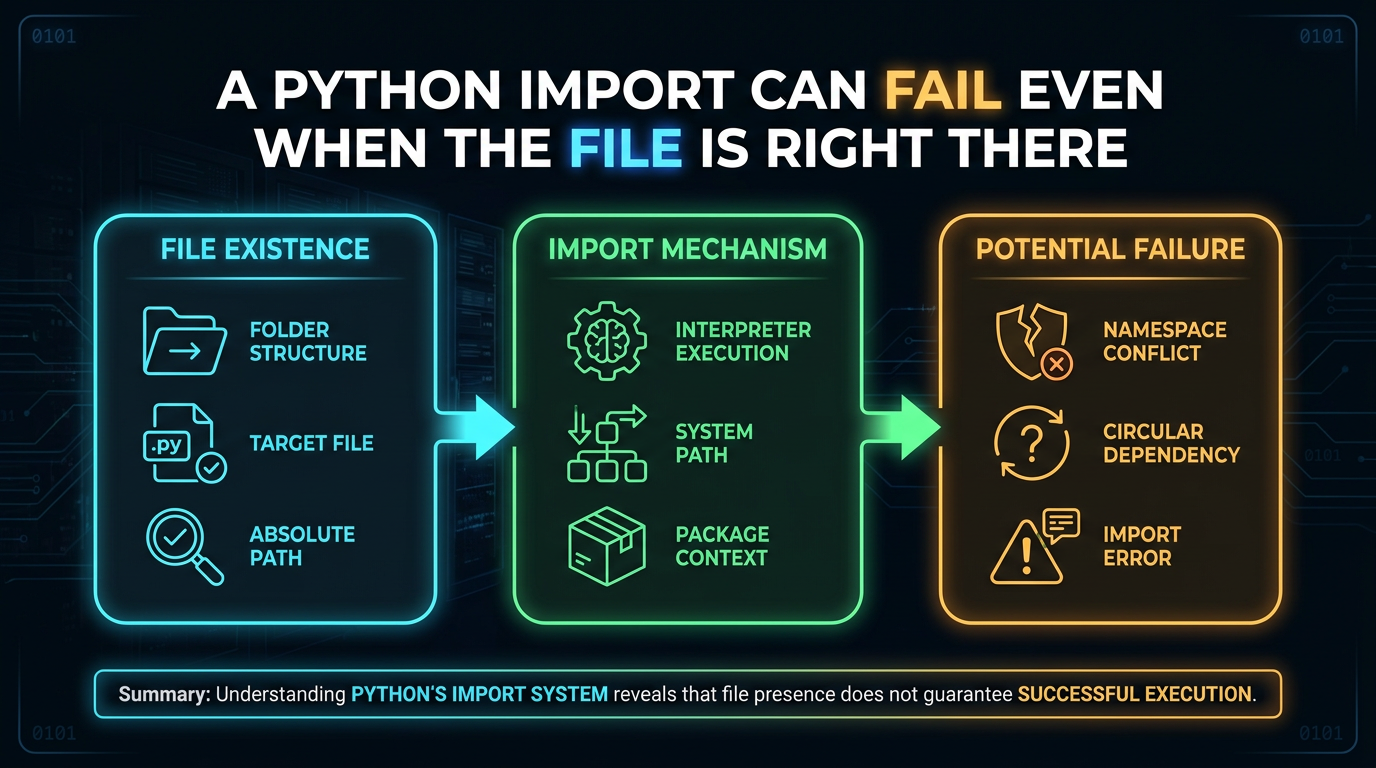
A Python Import Can Fail Even When the File is Right There
Imagine this:
my_project/
├── app.py
└── helpers.py
app.py contains:
import helpersYou can see helpers.py. The filename is correct. Yet Python can still report:
ModuleNotFoundError: No module named 'helpers'Why?
Because Python does not simply scan your entire computer for helpers.py.
It follows an import system. That system decides whether the requested module has already been loaded, where to search, which finder can locate it, what loader should handle it, and how the resulting module should be initialized.
Understanding that process makes Python import errors much less mysterious. The Python import system is more sophisticated than a simple "find this file" operation. This article builds a practical mental model around the parts you are most likely to encounter while developing and troubleshooting Python applications. The details are aligned with Python's documented import machinery and the supplied reference material.
What Is import in Python?
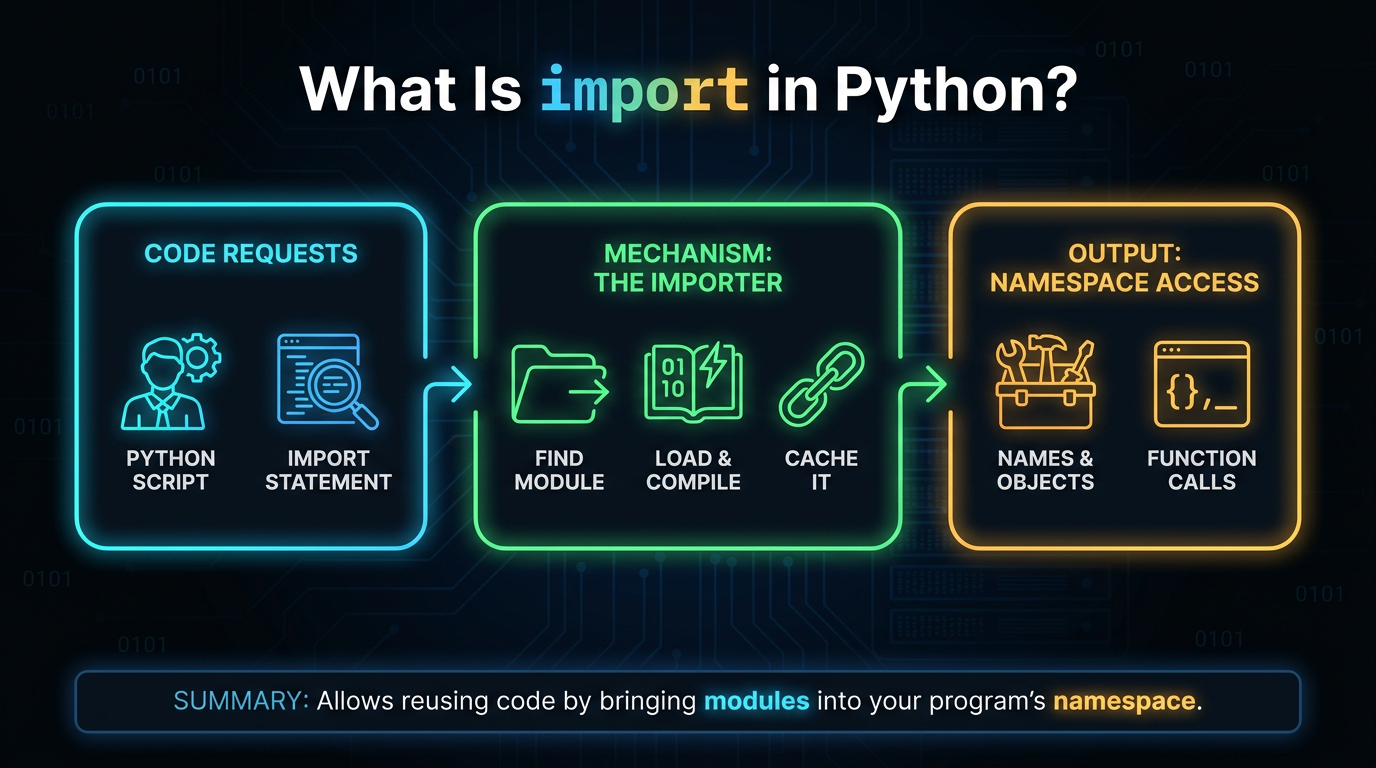
An import statement asks Python to make a module available to the current program.
For example:
import math
print(math.sqrt(25))
Here, math is a module, and the name math becomes available in the current namespace.
You can also import a particular name:
from math import sqrt
print(sqrt(25))
These two statements have different name-binding behavior:
import mathmakes math available.
Whereas:
from math import sqrtmakes sqrt available directly.
In both cases, Python still has to perform the underlying work of locating and loading the module when it is not already available. That is why understanding the import system is more useful than memorizing import syntax.
What Happens When Python Imports a Module?
A useful practical model is:
import statement
       |
       v
Check sys.modules
       |
       | already loaded?
       |-------- yes ------> reuse module
       |
       no
       |
       v
Find a module specification
       |
       v
Create/load the module
       |
       v
Execute module code
       |
       v
Store module in sys.modules
       |
       v
Bind the requested name
This is a conceptual model, not a complete implementation of every import edge case. Python's actual machinery includes sys.meta_path, path-based finders, loaders, module specifications, built-in and frozen importers, package __path__, namespace packages, and import hooks. Still, this model explains a large portion of everyday Python import behavior.
Step 1: Python Checks sys.modules
Before searching the filesystem, Python checks its module cache:
import sys

print("math" in sys.modules)
After:
import mathyou can inspect:
print(sys.modules["math"])sys.modules is a dictionary containing modules that have been imported in the current Python process.
This explains why importing the same module repeatedly does not normally execute its module-level code from scratch each time.
For example:
# demo.py
print("demo.py executed")
Then:
import demo
import demo
The second import normally reuses the module already present in sys.modules. This cache is also important when troubleshooting circular imports and partially initialized modules.
Step 2: Python Uses the Import Machinery to Find the Module
If the requested module is not already in sys.modules, Python needs to find it. This is where finders enter the picture.
A finder answers a question similar to:
"Can I locate this module?"
Modern Python's import protocol uses finders to produce a module specification, usually called a ModuleSpec. The specification contains information the import machinery needs to continue, including the loader responsible for loading the module.
You can inspect a module's specification:
import math
print(math.__spec__)
You can also inspect its loader:
print(math.__loader__)These attributes expose useful information about how Python understands the imported module.
What are Finders?
A finder is responsible for locating a module.
Python maintains a sequence of meta path finders in:
sys.meta_pathYou can inspect them:
import sys
for finder in sys.meta_path:
    print(finder)
Python's standard import machinery includes finders for different kinds of modules. One important finder is PathFinder, which handles modules found through the path-based import system.
The important distinction is:
Finder → finds a module and returns a specification
Loader → uses that specification to load the module
A finder does not normally execute the module itself.
Where Does sys.path Fit In?
For ordinary filesystem-based imports, sys.path is one of the most important pieces of the puzzle.
Try:
import sys

for path in sys.path:
    print(path)
You will see a list of locations. Python uses these locations as part of its path-based module search.
For example:
project/
├── app.py
└── tools.py
If Python is running app.py in the expected way, the relevant project location can be part of the import search path. Then:
import toolscan locate tools.py.
But if you run Python from a different environment, use a different execution method, modify the path, or have an unexpected environment configuration, the available search locations can change.
Python's documentation notes that sys.path is initialized when Python starts. Its first entry depends on how Python was invoked, and PYTHONPATH can add additional directories. Installation and environment configuration also contribute to the path.
Why sys.path Causes So Many Import Errors
Consider:
project/
├── main.py
└── utilities/
    └── helpers.py
This will not automatically make this valid:
import helpersPython needs a search location from which helpers can actually be resolved. If the intended import is based on the package structure, you might instead use:
from utilities import helpersThe key question when troubleshooting should therefore be:
What locations is this Python process actually searching?
Check:
import sys
print("\n".join(sys.path))
Do not assume that the directory you are looking at in your file explorer is necessarily the directory Python is searching.
PYTHONPATH Can Also Change the Search Path
The PYTHONPATH environment variable can add directories to Python's module search path.
For example, a configured environment might cause an additional directory to appear in:
import sys
print(sys.path)
However, using PYTHONPATH as a universal fix for import problems can make projects harder to reproduce.
Python's documentation specifically warns that PYTHONPATH affects Python environments broadly, so changes made globally can influence multiple Python installations.
For project-specific applications, it is usually better to understand the project's package structure and execution environment rather than continually adding directories to PYTHONPATH.
What Is a Loader?
Once a finder has identified a module, Python needs something that knows how to load it.
That is the loader's responsibility.
Conceptually:
Finder
  ↓
ModuleSpec
  ↓
Loader
  ↓
Module
For a normal Python source file, a source-file loader can locate the source and execute its code.
Python's import machinery also supports other kinds of modules, including built-in modules, frozen modules, extension modules, and modules found through customized import mechanisms.
So this mental model is safer:
A loader does not necessarily mean "open a .py file."
It means the component responsible for loading and initializing the module represented by the specification.
What Is a Module Specification?
A module specification, available through:
module.__spec__describes important import-related information.
For example:
import json
print(json.__spec__)
A specification can contain information such as:
- The module's fully qualified name
- The loader
- The module origin
- Whether it represents a package
- Locations where package submodules may be found
Python's documentation describes ModuleSpec as the object that carries this import-system state between the finder and the loader.
This is one reason the modern import model is better described as:
find → create specification → load
rather than simply:
find file → open file
sys.meta_path vs sys.path
These two names are easy to confuse. They are not the same thing.
sys.path
Contains locations used by the path-based import system:
import sys
print(sys.path)
Think:
Where can path-based imports look?
sys.meta_path
Contains meta path finders:
import sys
print(sys.meta_path)
Think:
Which finders get a chance to locate this module?
Python consults the meta path during import processing. The standard PathFinder can then perform path-based searching using sys.path or a package's path.
A simplified relationship is:
import requests
      |
      v
sys.modules?
      |
      no
      |
      v
sys.meta_path
      |
      v
PathFinder
      |
      v
sys.path
      |
      v
module location
There are more details behind this flow, but this distinction is extremely useful when debugging.
How Packages Change the Search
Packages introduce another important concept: __path__.
Suppose you have:
project/
└── shop/
    ├── __init__.py
    └── payments.py
When Python imports:
import shop.paymentsit first needs to resolve the package and then locate its submodule. The package's search locations are represented through its __path__.
You can inspect them:
import shop
print(shop.__path__)
For a package, the import system can use these locations when searching for submodules.
This is different from simply asking, "Is shop somewhere in sys.path?" For a submodule, the package's search path becomes important.
That distinction becomes particularly useful when working with larger applications and Packages.
Why import module Does Not Mean "Search My Whole Computer"
Suppose you have:
C:/projects/app/main.py
C:/downloads/tools.py
and you write:
import toolsPython does not automatically search every directory on your computer until it finds tools.py. It searches according to the import machinery and available path information. If C:/downloads is not an appropriate import location, Python may fail with:
ModuleNotFoundError: No module named 'tools'This is why moving a Python file into another folder can suddenly break an import. The file itself did not necessarily become invalid.
The import search context changed.
A Practical Import Troubleshooting Example
Consider:
project/
├── main.py
└── helpers/
          └── text.py
Inside main.py:
from helpers import text
print(text)
If this fails, first check which Python executable is running:
import sys
print(sys.executable)
Then inspect the import search path:
print(*sys.path, sep="\n")Then ask Python to show how it would resolve the module:
import importlib.util
spec = importlib.util.find_spec("helpers")
print(spec)
If the result is None, Python could not find a specification for that name using the current import machinery.
This is much more informative than repeatedly changing the import statement.
Diagnosing ModuleNotFoundError
A common error looks like:
ModuleNotFoundError: No module named 'my_module'Work through these checks.
1. Check the name
Make sure the import matches the actual module or package name:
import my_moduleis different from:
import mymodule2. Check the active Python environment
Run:
import sys
print(sys.executable)
This helps identify which Python installation is executing your program.
3. Inspect sys.path
import sys
print(*sys.path, sep="\n")
Ask:
Is the location containing the module available to this process?
4. Ask importlib to locate it
import importlib.util

print(importlib.util.find_spec("my_module"))
If it returns None, the current import system cannot find the requested module.
5. Check whether you are confusing a package and a module
For example:
project/
└── myapp/
          ├── __init__.py
          └── tools.py
The intended import may be:
from myapp import toolsrather than:
import toolsThe correct form depends on your project structure and how the application is being executed.
ImportError vs ModuleNotFoundError
These errors are related but not identical.
For example:
from math import does_not_existcan produce an ImportError because Python found the math module but could not import the requested name from it.
By contrast:
import does_not_existcan produce:
ModuleNotFoundErrorbecause the requested module could not be found.
A useful troubleshooting question is therefore:
Did Python fail to find the module, or did it find the module but fail to import something from it?
That distinction can immediately narrow down the problem.
What About import and Installed Libraries?
When you install a third-party library, you are not simply putting a file beside your script. The package becomes available through the Python environment in which it was installed.
This is why this situation is common:
pip install some-libraryfollowed by:
import some_libraryand Python still says:
ModuleNotFoundErrorOne likely explanation is that pip installed the package into a different Python environment from the one running your program.
Check:
import sys
print(sys.executable)
Then compare that environment with the one where the package was installed. For command-line work, using the interpreter explicitly can also reduce ambiguity:
python -m pip install some-libraryThe exact command can vary by operating system and environment, but the important idea is to connect package installation with the Python interpreter you actually use.
python import function Is Not the Right Mental Model
You may encounter searches for terms such as python import function or questions about whether import is a function.
import is a Python statement, not an ordinary function call.
For example:
import mathis an import statement.
Python also exposes import machinery through the importlib module, including functions such as:
import importlib
math = importlib.import_module("math")
This dynamically imports a module by name.
So:
import mathand:
importlib.import_module("math")are related but are not syntactically the same mechanism.
What Happens When a Module Executes?
A Python module can contain top-level code:
print("Loading module")
answer = 42
When the module is imported, that top-level code can execute as part of module initialization.
For example:
# settings.py
print("settings loaded")
DEBUG = True
Then:
import settingscan print:
settings loadedThis is one reason imports can have side effects and can raise exceptions.
It also explains why module execution and import caching are closely connected.
After successful import, the module is normally available in sys.modules.
Why Circular Imports Can Become Confusing
Consider:
a.py → imports b.py
b.py → imports a.py
Python can place a module into sys.modules while it is still being initialized. This helps the import system manage recursive imports, but it also means another module may encounter an object that has not finished defining all of its names.
That can lead to confusing messages involving:
partially initialized moduleThis is why a circular import is not simply "Python cannot find the file."
Python may have found the module correctly. The problem can instead be when and how the modules depend on each other during initialization.
A Better Way to Debug Python Imports
When an import fails, avoid immediately trying random variations such as:
from x import ythen:
import x.ythen modifying PYTHONPATH.
Instead, inspect the import environment.
Use:
import sys

print("Python:", sys.executable)
print("Path:")
print(*sys.path, sep="\n")
Then:
import importlib.util

spec = importlib.util.find_spec("your_module")
print("Spec:", spec)
If the module can be imported:
import your_module

print("File:", getattr(your_module, "__file__", None))
print("Spec:", your_module.__spec__)
print("Loader:", your_module.__loader__)
These checks answer three useful questions:
Which Python is running?
Where is Python looking?
What did Python actually load?
That is a far more reliable debugging strategy.
The Import System in One Picture
A practical mental model looks like this:
                   import mymodule
                           |
                           v
                    Is it in sys.modules?
                       /           \
                     yes            no
                      |              |
                      v              v
                 reuse it       sys.meta_path
                                      |
                                      v
                                  finders
                                      |
                                      v
                                ModuleSpec
                                      |
                                      v
                                   loader
                                      |
                                      v
                              create/execute
                                the module
                                      |
                                      v
                              sys.modules
                                      |
                                      v
                           bind requested name
For path-based imports, PathFinder works with mechanisms involving sys.path, sys.path_hooks, and sys.path_importer_cache. Python's documentation describes this as the path-based import subsystem.
This is why sys.path is important, but it is not the entire import system.
Final Takeaway
Python imports become much easier to troubleshoot once you stop thinking of them as:
"Python looks for a .py file."
A more accurate model is:
Python checks its module cache, invokes the import machinery, lets finders locate a module specification, uses a loader to initialize the module, caches the result, and then binds the requested name.
sys.path matters because it provides search locations for the path-based import system. sys.meta_path matters because it controls which meta path finders get a chance to handle an import. The finder and loader divide the work of locating and loading modules, while ModuleSpec connects those stages.
When an import breaks, start with evidence:
import sys
import importlib.util

print(sys.executable)
print(*sys.path, sep="\n")
print(importlib.util.find_spec("your_module"))
Those few lines can often reveal whether the real problem is the Python environment, search path, package structure, module name, or import mechanism.
And once that distinction is clear, ImportError stops being a vague Python problem and becomes a specific debugging question.
Frequently Asked Questions
1. What is sys.path in Python?▾
sys.path is a list of locations used by Python's path-based import system when searching for modules and packages. Its contents are initialized when Python starts and can depend on how Python was invoked, environment configuration, PYTHONPATH, and installation details.
2. What is the difference between a finder and a loader?▾
A finder determines whether it can locate a requested module and returns a module specification. A loader is responsible for loading and initializing the module described by that specification.
3. Why does Python say ModuleNotFoundError when the file exists?▾
The file may exist somewhere on your computer without being located in a search location available to the current Python process. Inspect sys.path and check the module with importlib.util.find_spec().
4. What is sys.modules used for?▾
sys.modules is Python's module cache for the current process. Successfully imported modules are normally stored there, allowing subsequent imports to reuse the existing module rather than initializing it from scratch.
5. How can I troubleshoot a Python import error?▾
Start by checking the interpreter, search path, and module specification: import sys import importlib.util print(sys.executable) print(*sys.path, sep="\n") print(importlib.util.find_spec("module_name")) Then verify the project structure, package name, active virtual environment, and whether the module was installed into the same Python environment that runs the program.