
Python Namespaces: How Names Are Resolved Across Modules
Key Highlights
- A Python namespace is a mapping that connects names to objects. Variables, functions, modules, classes, and many object attributes participate in this model.
- A namespace and a scope are related but different: a namespace is where name-to-object bindings exist, while scope describes where a name can be looked up directly.
- Every module has its own namespace, so the same name can exist independently in different modules without automatically colliding.
- Python resolves ordinary names through the LEGB lookup order: Local, Enclosing, Global, and Built-in.
- Imports create name bindings. Understanding those bindings explains why import module, from module import name, and module.name behave differently.
Why Can Two Python Files Both Define value Without Breaking Each Other?
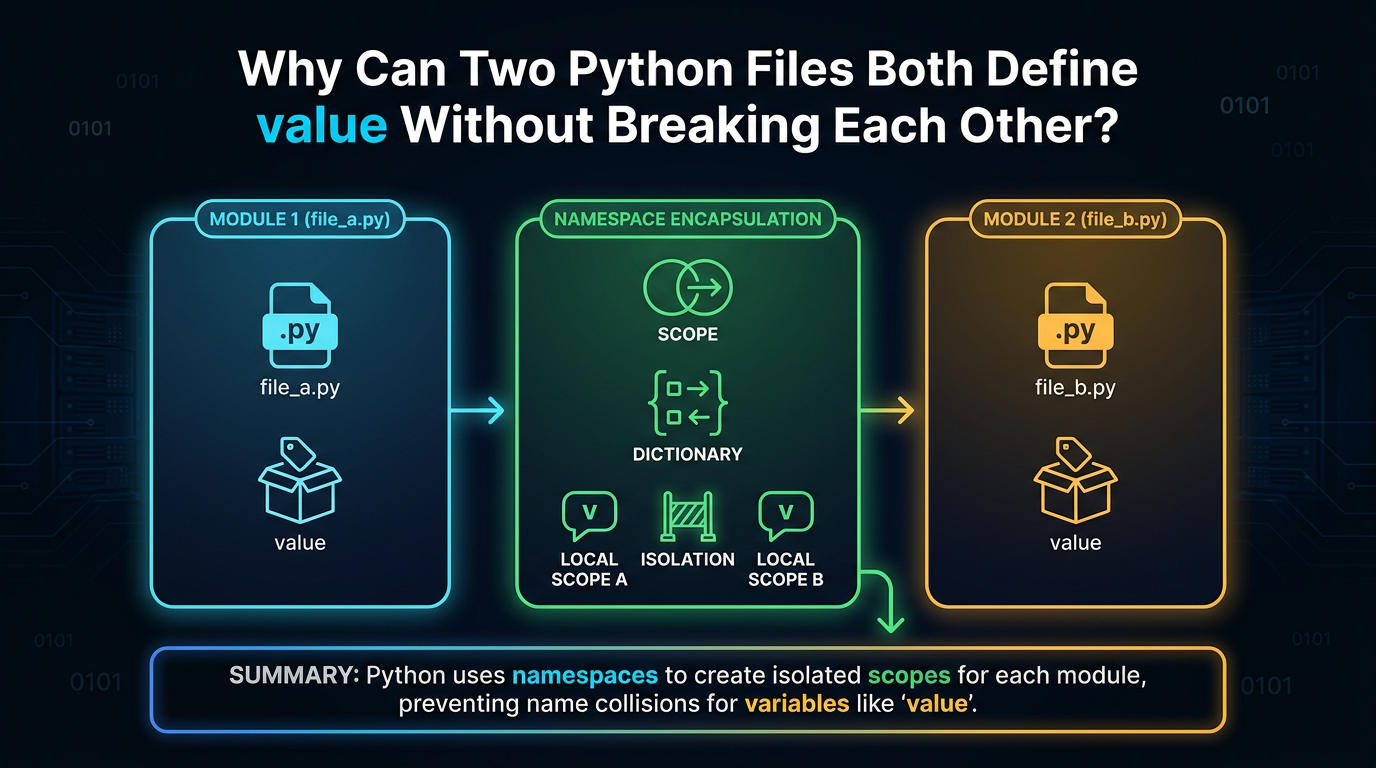
Suppose you have two modules:
project/
├── pricing.py
└── inventory.py
Both contain:
value = 100There is no conflict.
You can write:
import pricing
import inventory

print(pricing.value)
print(inventory.value)
and get:
100
100
So where does Python keep these two value names? The answer is namespaces.
If you have ever wondered what is Python namespace, why math.sqrt works while sqrt sometimes does not, or how Python decides which name a function refers to, namespaces provide the underlying model.
The key is to stop thinking of a variable name as the object itself. Python maintains mappings between names and objects, and different parts of a program have different namespaces. Scope then determines which of those names Python considers during lookup.
What is a Namespace in Python?

A namespace is a mapping from names to objects.
For example:
language = "Python"
version = 3
Conceptually, the namespace contains:
"language" → "Python"
"version"  → 3
The names are not the objects themselves. They are references or bindings associated with objects.
If you later write:
language = "Rust"the binding changes:
"language" → "Rust"The original "Python" object is not necessarily destroyed; it can continue to exist if something else refers to it. This is the basic namespace meaning that appears throughout Python: names are mapped to objects.
Namespace vs Scope: They Are Not the Same
When learning Python, this distinction might be quite confusing. Where names are mapped or kept is described by a namespace. Where a name is immediately accessible for search is indicated by a scope.
For example:
message = "Hello"

def greet():
    print(message)

greet()
The module's namespace has the name message. Because the function's name lookup criteria incorporate the global namespace of the surrounding module, Python may still resolve messages within greet().
So a useful distinction is:
Namespace → name-to-object mapping
Scope     → region/context in which a name can be looked up
This is why namespace and scope in Python should be learned together without treating them as synonyms.
What is Scope in Python?
If you are asking what is scope in Python, think about name visibility during lookup.
Consider:
x = "global"

def show():
    x = "local"
    print(x)

show()
print(x)
Output:
local
global
The function has its own local binding for x. The module has its own global binding for x. The two names have the same spelling but belong to different namespaces associated with different scopes. This is the foundation of variable scope in Python.
Four Main Levels of Name Lookup
Python's ordinary name lookup is commonly summarized using LEGB:
L → Local
E → Enclosing
G → Global
B → Built-in
Consider:
x = "global"

def outer():
    x = "enclosing"

    def inner():
        x = "local"
        print(x)

    inner()

outer()
The output is:
localWhy?
Python finds x in the local namespace of inner() first. If it were not there, Python could continue outward to the enclosing function, then the module's global namespace, and finally the built-in namespace.
The simplified lookup order is:
Local
  ↓
Enclosing
  ↓
Global
  ↓
Built-in
This is one of the most useful connections between Python scope and namespaces.
Local Namespaces Belong to Function Calls
Every function call gets its own local execution context.
Consider:
def calculate(number):
    result = number * 2
    return result
When you call:
a = calculate(10)
b = calculate(20)
the two calls do not share the same local number and result bindings.
Conceptually:
First call:
number → 10
result → 20

Second call:
number → 20
result → 40
This is why the same function can safely use local variable names on repeated calls. The local bindings belong to the individual function execution, not to one permanent global namespace.
Module Namespaces: The Key to Understanding Imports
Every Python module has its own namespace. Suppose settings.py contains:
APP_NAME = "Task Tracker"
DEBUG = True

def show():
    print(APP_NAME, DEBUG)
The module namespace contains bindings such as:
APP_NAME → "Task Tracker"
DEBUG    → True
show     → function object
Now another module does:
import settingsThe name settings is bound in the current module's namespace to the settings module object.
Then:
settings.APP_NAMEaccesses APP_NAME through the namespace associated with the settings module. This is why modules provide a natural boundary for names.
How Names are Resolved Across Modules
This is the heart of the topic.
Imagine:
pricing.py
value = 100

def calculate():
    return value * 2
inventory.py
value = 50main.py
import pricing
import inventory
print(pricing.value)
print(inventory.value)
print(pricing.calculate())Output:
100
50
200
There are three relevant namespaces here:
main namespace
    pricing → pricing module
    inventory → inventory module

pricing namespace
    value → 100
    calculate → function

inventory namespace
    value → 50
When Python evaluates:
pricing.valueit first resolves pricing in the current namespace. That gives it the module object. Then .value accesses the attribute associated with that module.
For:
inventory.valuethe same process occurs with a different module. The identical name value is safe because the bindings live in different namespaces.
Why import module and from module import name Are Different
Consider:
import mathThis binds:
math → math module objectin the current namespace.
So you write:
math.sqrt(25)The current namespace provides math, and then attribute access finds sqrt on the module.
Now compare:
from math import sqrtThis binds:
sqrt → sqrt functionin the current namespace.
So you write:
sqrt(25)But this does not necessarily create a current-namespace name called math.
For example:
from math import sqrt

print(sqrt(25))
works.
But:
print(math.sqrt(25))does not work merely because sqrt was imported from math. The module may be loaded internally, but the important point for namespace reasoning is that the current namespace receives the name specified by the import form.
Imports are Name Bindings
Consider these examples:
import mathcreates:
math → math moduleimport math as mcreates:
m → math modulefrom math import sqrtcreates:
sqrt → sqrt functionfrom math import sqrt as square_rootcreates:
square_root → sqrt functionThis is an important way to understand imports.
An import does not simply mean:
"Make this file available."
It also determines which names are introduced into the current namespace. That distinction becomes especially useful when working with modules and debugging unexpected NameError exceptions.
Why math.sqrt Works but sqrt May Not
Suppose:
import mathThen:
math.sqrt(16)works. But:
sqrt(16)raises:
NameErrorunless sqrt was independently defined or imported.
Why?
Because your namespace contains:
math → math moduleIt does not contain:
sqrt → functionThe expression:
math.sqrtperforms two steps conceptually:
1. Find math in the current namespace
2. Find sqrt through the math object's attributes
This is why dot notation is so important when understanding namespaces across modules.
Module Attributes Are Namespace Entries
Suppose config.py contains:
DEBUG = True
TIMEOUT = 30
Then:
import configallows:
print(config.DEBUG)
print(config.TIMEOUT)
The module exposes those names as attributes. You can inspect the module namespace:
print(vars(config))You will see many entries in addition to your explicitly defined names because modules also have standard attributes.
The useful mental model is:
module object
      ↓
module namespace
      ↓
names such as DEBUG, TIMEOUT, functions, classes...
So when you see:
config.DEBUGthink of it as accessing a name associated with the module object.
Packages Also Have Namespaces
Packages follow the same basic namespace model.
Consider:
project/
└── shop/
           ├── __init__.py
           ├── products.py
           └── orders.py
Suppose shop/__init__.py contains:
APP_NAME = "Shop"Then:
import shop
print(shop.APP_NAME)
works because shop is a package module object with its own namespace.
If you import:
import shop.productsthe package can expose the relevant submodule through its attributes.
The important idea is:
A package is not merely a folder at runtime. It is represented by a module object with namespace behavior. This is one reason namespace thinking makes module and package imports much easier to understand.
Dotted Names Are a Form of Namespace Navigation
Consider:
app.users.models.UserAt a high level, each dot moves you through an attribute relationship:
app
 ↓
users
 ↓
models
 ↓
User
For example:
import app.users.models
user = app.users.models.User()
Conceptually:
current namespace
    app → app package

app namespace
    users → app.users package

app.users namespace
    models → app.users.models module

app.users.models namespace
    User → class
This model explains why fully qualified names can be so useful: the path itself communicates where a name belongs.
Why Namespaces Prevent Name Collisions
Imagine two modules:
reports.py
name = "Annual Report"
users.py
name = "Ada"Both can coexist:
import reports
import users

print(reports.name)
print(users.name)
There is no collision because the names are separated by module namespaces. The same principle appears with objects:
customer.name
product.name
company.name
All three can use name. The name is meaningful within its particular namespace. This is one of the major reasons namespaces are essential for large Python programs: names do not have to be globally unique across the entire application.
What Happens When a Name Is Shadowed?
Consider:
name = "Python"

def show():
    name = "Java"
    print(name)

show()
print(name)
Output:
Java
Python
The local name shadows the module-level name during lookup inside show(). The global binding still exists. Python simply finds the local binding first. The same thing can happen with built-in names.
For example:
list = [1, 2, 3]Now:
list("abc")fails because the name list resolves to your variable before Python reaches the built-in list type. The problem is not that Python's built-in disappeared. Your name is being found earlier in the lookup chain.
The Built-In Namespace
Python provides a built-in namespace containing names such as:
print
len
range
str
int
list
dict
Exception
That is why this works without an import:
print(len([1, 2, 3]))When a plain name cannot be found in the local, enclosing, or global namespaces, Python can look in the built-in namespace.
So the simplified lookup chain is:
Local
  ↓
Enclosing
  ↓
Global
  ↓
Built-in
This is the LEGB model. Understanding it as a chain of namespaces makes what is scope in Python much easier to answer than simply memorizing four letters.
Enclosing Namespaces and Nested Functions
Consider:
def outer():
    message = "Hello"

    def inner():
        print(message)

    inner()

outer()
message is not local to inner().
It belongs to the enclosing function's namespace. When inner() looks for message, Python can find it in the enclosing scope.
The lookup conceptually moves through:
inner local
    ↓
outer enclosing
    ↓
module global
    ↓
built-in
This is also the foundation for closures.
For example:
def make_greeter():
    message = "Hello"

    def greet():
        print(message)

    return greet

hello = make_greeter()
hello()
Through its closure, the returning function can maintain access to the surrounding binding even after make_greeter() has returned. This shows that while namespace lifetime and object lifetime are connected, they are not always the same.
global Changes Where an Assignment Goes
Consider:
count = 0

def increment():
    global count
    count += 1

increment()
print(count)
Output:
1The statement:
global counttells Python that assignments to count inside increment() should target the module-level binding.
Without it:
count = 0

def increment():
    count += 1
Python treats count as a local variable because of the assignment, resulting in an UnboundLocalError when it tries to read that local binding before it has been assigned.
The important idea is:
local assignment   → current function's local namespace
global assignment  → module namespace
This is a practical example of how scope determines which namespace an assignment targets.
nonlocal Targets an Enclosing Namespace
Nested functions can use nonlocal to modify a name belonging to an enclosing function.
def make_counter():
    count = 0

    def increment():
        nonlocal count
        count += 1
        return count

    return increment
Now:
counter = make_counter()
print(counter())
print(counter())
print(counter())
Output:
1
2
3
Here:
nonlocal countdoes not target the module namespace. It targets the appropriate enclosing function namespace.
So a useful summary is:
local    → current function
nonlocal → enclosing function
global   → module
These keywords make the intended namespace for assignment explicit.
Namespace and Attribute Lookup Are Different
Compare:
namewith:
user.nameThey may look similar, but Python does not resolve them using the same process.
Plain name
nameuses scope-based name lookup:
Local → Enclosing → Global → Built-inAttribute access
user.namestarts with the user object and performs attribute lookup.
That process can involve:
- Instance attributes
- Class attributes
- Base classes
- Descriptors
- Attribute hooks
So do not treat:
nameand:
user.nameas two versions of the same lookup algorithm. This distinction is particularly useful when diagnosing NameError versus AttributeError.
NameError vs AttributeError
Consider:
print(username)If Python cannot resolve username as a plain name, you may get:
NameErrorNow consider:
user.usernameIf the user object does not provide the requested attribute through its attribute lookup rules, you may get:
AttributeErrorSo:
Missing plain name → NameError
Missing attribute  → AttributeError
This distinction becomes much easier to understand once you separate name lookup from attribute lookup.
Inspecting Namespaces with globals()
Python provides tools that let you inspect namespace information.
For example:
x = 10

print(globals()["x"])
Output:
10globals() returns the current module's global namespace mapping.
You can also check:
print("x" in globals())This can be useful while learning or debugging. It is generally not a good idea to use globals() as your normal application state-management mechanism. Think of it primarily as an inspection tool.
Inspecting Local Names with locals()
Inside a function:
def show(name):
    message = f"Hello, {name}"
    print(locals())

show("Ada")
You may see:
{
    'name': 'Ada',
    'message': 'Hello, Ada'
}
This provides a view of the local names available at that point. However, do not rely on modifying locals() to create or change ordinary local variables:
def example():
    locals()["x"] = 10
    print(x)
That is not a reliable way to manipulate local variables. Use locals() primarily for inspection and debugging.
vars() Is Useful for Namespace Inspection
vars() can show the namespace dictionary of many objects.
For example:
class User:
    pass
user = User()
user.name = "Ada"
print(vars(user))
Output:
{'name': 'Ada'}You can also inspect a module:
import math
print(vars(math))
Or a class:
print(vars(User))This makes vars() a useful learning tool when you want to see which names are stored directly on an object, module, or class.
Not every object has a normal __dict__, so vars() is not universally applicable.
dir() vs vars()
These two functions are related but different.
vars(user)helps show names stored directly in a namespace dictionary when one exists.
dir(user)attempts to list names available through the object, including inherited and special names.
For example:
print(vars(user))
print(dir(user))
The results can therefore be very different.
A useful mental shortcut is:
vars() → what is stored directly here?
dir()  → what names appear available?
This distinction becomes useful when exploring unfamiliar modules, classes, and objects.
A Common Import Trap: The Module Is Loaded, but the Name Is Different
Consider:
from math import sqrtYou can inspect:
import sys

print("math" in sys.modules)
print("math" in globals())
print("sqrt" in globals())
You may find:
True
False
True
Why? The module can be present in Python's module cache while the current namespace contains only the name sqrt.
This is an important distinction:
Module loading ≠ current namespace bindingUnderstanding this prevents many misconceptions about how imports work.
Namespaces and Shared Module State
Suppose config.py contains:
DEBUG = TrueTwo modules can import it:
import configEach importing module gets its own current-namespace binding:
module_a namespace:
config → config module

module_b namespace:
config → same config module object
The module object itself has its own namespace:
config namespace:
DEBUG → True
This is why module-level state can be shared by different parts of an application.
The important distinction is between:
- The importing module's namespace.
- The imported module's namespace.
- The module object being referenced by both.
This is another reason namespaces are central to understanding imports.
Why from module import * Can Cause Problems
Consider:
from math import *
from statistics import *
This introduces many names into the current namespace. That can make it harder to determine where a particular name came from.
Names can also collide. For example, if two imported modules expose the same name, one binding can replace the other in the current namespace.
Explicit imports are generally easier to understand:
import math
import statistics

result = math.sqrt(25)
or:
from math import sqrtwhen a direct binding genuinely improves readability. A namespace prefix can add useful information rather than unnecessary verbosity.
Namespaces and Mutability Are Different Concepts
Namespaces store bindings.
Objects have their own behavior, including mutability.
Consider:
items = []
other = items
Conceptually:
items → same list object
other → same list object
Now:
items.append("Python")changes the list object.
The namespace bindings themselves did not need to change.
But:
items = []rebinds the name items to a different object.
So:
Mutation  → change the object
Rebinding → change what a name refers to
This distinction is useful because beginners often interpret assignment and mutation as the same operation. They are not.
How Namespaces Help You Design Better Modules
A well-designed module gives related names a clear home.
For example:
payments.py
    calculate_tax
    process_payment
    refund

users.py
    create_user
    deactivate_user
    find_user
Then:
import payments
import users
payments.process_payment()
users.create_user()
The module prefixes communicate ownership. Compare that with importing dozens of names directly into one namespace:
from payments import *
from users import *
The second version makes the current namespace harder to reason about. Namespaces are therefore not merely an internal Python concept. They influence readability, organization, and how easily developers can understand where a name comes from.
The Complete Picture
A useful high-level model is:
                   Python Program
                          |
          +---------------+---------------+
          |                     |                     |
     Module A      Module B      Module C
     namespace    namespace   namespace
          |                      |                    |
       names           names           names
          |                      |                    |
       objects         objects         objects
Inside a function:
Module namespace
      |
      ↓
Function call
      |
      ↓
Local namespace
For nested functions:
Local
  ↓
Enclosing
  ↓
Global
  ↓
Built-in
For modules:
current namespace
      |
      ↓
module name
      |
      ↓
module namespace
      |
      ↓
module attribute
This is why:
app.users.models.Usercan be understood as a sequence of namespace and attribute relationships rather than a mysterious special syntax.
Final Takeaway
If you want to define namespace in one sentence:
A namespace is a mapping that associates names with objects.
But that definition becomes much more useful when connected to scope.
Scope determines where Python looks for a plain name.
Namespace provides the name-to-object bindings Python can search.
For ordinary name lookup, Python follows the familiar:
Local → Enclosing → Global → Built-inmodel.
Modules introduce another crucial layer. Each module has its own namespace, which is why these can safely coexist:
pricing.value
inventory.value
Imports then create bindings in the current namespace:
import mathbinds math, while:
from math import sqrtbinds sqrt.
Dot notation such as:
math.sqrtthen moves from the module object to an attribute associated with its namespace.
Once this model is clear, many Python concepts become easier to connect:
Functions      → local namespaces
Nested funcs   → enclosing namespaces
Modules        → module namespaces
Packages       → package/module namespaces
Classes        → class namespaces
Instances      → instance attributes
Imports        → name bindings
LEGB           → ordinary name lookup
globals()      → inspect module globals
locals()       → inspect local bindings
vars()         → inspect many object namespaces
The most useful mental model is simple:
It is not necessary for names to be distinct throughout your Python application. They must be properly resolved inside the namespaces in which they reside.
This enables functions to reuse local variables across calls, objects to have their own attributes, imports to expose just the bindings you really require, and various modules to specify the same names.
Understanding namespaces therefore gives you a much clearer picture of how Python resolves names across modules, and why so many seemingly unrelated Python behaviors follow the same underlying rules.
Frequently Asked Questions
1. What is Python namespace?▾
A Python namespace is a mapping between names and the objects those names refer to. Module, local, class, and many object attribute namespaces are examples.
2. What is the difference between namespace and scope in Python?▾
A namespace describes the name-to-object mappings. Scope describes where a name can be resolved directly during lookup. They work together but are not interchangeable terms.
3. What is scope in Python?▾
The namespaces that are taken into account while resolving a plain name are determined by Python scope. LEGB stands for Local, Enclosing, Global, and Built-in.
4. How does Python resolve a name across modules?▾
When you write something like pricing.value, Python first resolves pricing in the current namespace. It then performs attribute lookup for value on the resulting module object. Each module has its own namespace, which keeps names such as value separate.
5. Why can two Python modules use the same variable name?▾
Each module has its own namespace. Therefore, pricing.value and inventory.value can refer to different objects without creating a naming conflict.
6. What is the difference between import module and from module import name?▾
import module binds the module name in the current namespace: import math Then you use: math.sqrt(25) from module import name binds the selected name directly: from math import sqrt Then you use: sqrt(25)
7. How can I inspect a Python namespace?▾
For module globals, use: globals() For local bindings, use: locals() For many objects, modules, and classes, use: vars(object) These tools are particularly useful for learning and debugging namespace behavior.