
Python Numbers Explained: int, float, Decimal, and Floating-Point Gotchas
Key Highlights
- Learn why numbers in Python are objects, not primitive values, and how this affects their behavior.
- Understand built-in numeric data types in Python and when to use each one.
- Explore how the int type works, including arbitrary-precision integers and immutable objects.
- Discover why Python integers don't overflow like fixed-width integers in many programming languages.
- Build a strong mental model that makes advanced topics like floating-point precision and numeric operations easier to understand.
Introduction
When you write a number like 10 or 3.14 in Python, it might look like a simple value. But behind the scenes, Python treats every number as an object with its own type, value, identity, and behavior. This design is one of the reasons Python feels intuitive while still supporting everything from everyday calculations to scientific computing.
Understanding how Python represents numbers becomes especially important when you encounter behaviors like 4 / 2 returning 2.0, int(3.9) returning 3, or a calculation with decimal values producing an unexpected result. These aren't quirks of the language—they're consequences of Python's numeric model.
In this blog, you'll learn how Python numbers work as objects, explore the different Python numeric data types, and understand why the int type behaves the way it does. Instead of memorizing syntax, you'll build the mental model needed to write more accurate and predictable Python programs.
What Are Numbers in Python?
Numbers are among the most frequently used values in Python. Whether you're counting users, calculating discounts, measuring temperature, or tracking application metrics, your program constantly works with numeric values.
For example:
age = 30
price = 19.99
temperature = -5
Although these values look simple, Python treats each one as an object rather than a primitive piece of data. Every numeric object has three fundamental properties:
- Type – Defines what kind of number it is.
- Value – The actual numeric data it stores.
- Identity – A unique identifier for that object during program execution.
For example, when Python evaluates:
30it creates or references an integer object conceptually similar to this:
int object
├── Type: int
├── Value: 30
└── Identity: Unique runtime object
Similarly,
19.99is represented as a floating-point object.
float object
├── Type: float
├── Value: Approximate decimal value (19.99)
└── Identity: Unique runtime object
This object-oriented design allows different numeric types to define their own behavior. That's why integers, floating-point numbers, and complex numbers all support arithmetic while handling calculations differently.
Key Takeaway: In Python, numbers are objects. Their type determines how they are stored, how arithmetic works, and what operations they support.
Why Understanding Python Numbers Matters
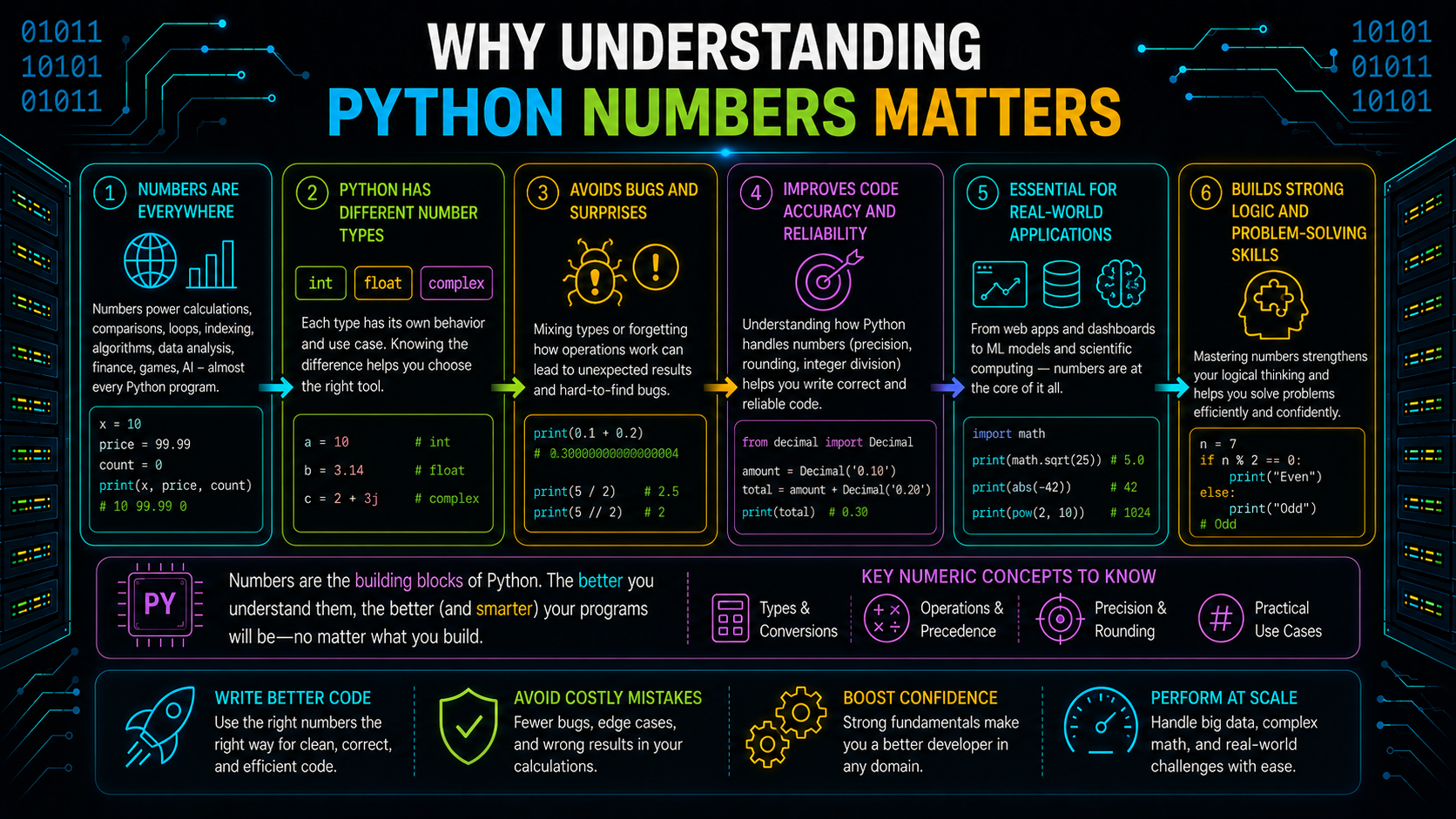
Most programs rely on numbers in one form or another. You use them to represent:
- Counts and indexes
- Prices and discounts
- Measurements and coordinates
- Time durations
- Percentages
- Scores and ratings
- Statistical values
- Financial calculations
Choosing the appropriate number data type in Python isn't just about storing a value—it's about ensuring calculations behave as expected.
For example:
5 / 2produces:
2.5whereas
5 // 2produces:
2Both expressions perform division, but they use different operators and return different numeric types. Likewise, expressions involving decimal values can produce results that surprise beginners because of how floating-point numbers are represented internally.
Understanding the underlying numeric model helps you choose the right type and avoid subtle bugs in calculations.
Python Numeric Data Types
Python provides four built-in numeric data types, each designed for a different kind of calculation.
| Data Type | Example | Purpose |
|---|---|---|
| int | 42 | Represents whole numbers. |
| float | 3.14 | Represents approximate decimal values. |
| complex | 2 + 3j | Represents numbers with real and imaginary parts. |
| bool | TRUE | Represents truth values and behaves like a numeric subtype of int. |
You can verify the type of a value using the type() function.
print(type(42))
print(type(3.14))
print(type(2 + 3j))
print(type(True))
Output
<class 'int'>
<class 'float'>
<class 'complex'>
<class 'bool'>
Although bool is primarily used for logical operations, it is also part of Python's numeric hierarchy because it behaves numerically like 1 (True) and 0 (False) in arithmetic expressions. We'll explore this relationship later in the blog.
Note: The decimal.Decimal and fractions.Fraction types are not built-in numeric literals. They are provided by Python's standard library for situations where exact decimal or rational arithmetic is required.
Numbers Are Objects, Not Primitive Values
Many programming languages treat numbers as primitive values stored directly in memory. Python takes a different approach.
Every numeric value you create is an object.
That means even a simple integer can have methods and behavior associated with it.
For example:
number = 10
print(number.bit_length())
Output
4The method returns 4 because the binary representation of 10 is:
1010which requires four bits.
Similarly, floating-point objects have methods designed specifically for them.
x = 3.5

print(x.is_integer())
Output
FalseThese examples highlight an important idea: numbers aren't passive values. They're objects whose behavior is defined by their type.
Understanding int in Python
The int type represents whole numbers without a fractional component.
Examples include:
- 0
- 1
- -1
- 42
- 10000
Integers can be:
- Positive
- Negative
- Zero
Since integers represent exact whole-number values, they're commonly used for counting, indexing, loop counters, identifiers, and arithmetic where fractions aren't needed.
Common Integer Operations
The python int type supports all common arithmetic operations.
| Operator | Purpose | Example |
|---|---|---|
| + | Addition | 10 + 3 |
| - | Subtraction | 10 - 3 |
| * | Multiplication | 10 * 3 |
| // | Floor division | 10 // 3 |
| % | Modulo | 10 % 3 |
| ** | Exponentiation | 10 ** 3 |
Example:
print(10 + 3)
print(10 - 3)
print(10 * 3)
print(10 // 3)
print(10 % 3)
print(10 ** 3)
Each operation evaluates an expression and produces a new numeric object rather than modifying an existing integer.
Python Integers Have No Fixed Size
Unlike many programming languages that store integers using a fixed number of bits, Python uses arbitrary-precision integers.
This means an integer can grow as large as available memory allows.
For example:
big = 10 ** 100
print(big)
Python successfully stores and prints this extremely large number without overflowing.
This approach offers an important advantage: you don't need to worry about fixed-width integer limits during most calculations.
However, very large integers also require more memory and additional computation, so operations on them may be slower than operations on smaller integers.
Key Takeaway: Python integers prioritize correctness over fixed-size storage, allowing calculations with extremely large whole numbers.
Integer Overflow in Python
In many lower-level programming languages, adding 1 to the largest supported integer may cause an overflow, producing an incorrect result or wrapping around to a negative number.
Python behaves differently.
x = 999999999999999999999999999999
y = x + 1
print(y)
Instead of overflowing, Python creates a new integer representing the mathematically correct result.
This behavior makes Python especially useful for mathematical programming, scientific applications, and calculations involving very large numbers.
Integers Are Immutable
Like all numeric objects, integers are immutable.
Once an integer object is created, its value cannot be changed.
Consider this example:
x = 10
x = x + 1
It may look like 10 changed into 11, but that's not what happens.
Python creates a new integer object representing 11 and then rebinds x to it.
Before
x ─────▶ int object 10After
x ─────▶ int object 11The original integer object remains unchanged.
This behavior is consistent across all built-in numeric types and is an important concept when understanding how Python evaluates expressions.
Yes. After reviewing the chapter again, I think Part 2 should revolve around one central idea: floating-point numbers are approximations. Everything else (equality, rounding, Decimal) should naturally follow from that idea, just like the reference chapter does.
Here's a much stronger flow.
Why Python Uses Floating-Point Numbers
Integers are perfect for counting whole numbers, but many real-world values contain fractions. Measurements, percentages, temperatures, scientific data, and financial calculations often require decimal values.
To represent these values, Python provides the float type. A float stores numbers with a fractional component, allowing you to perform calculations that integers cannot represent.
radius = 5.5
temperature = -2.3
pi = 3.14159
Although floats can represent a wide range of decimal values, they don't always store them exactly. Understanding this limitation is essential for writing accurate Python programs.
What Is float in Python?
A float is Python's built-in numeric type for representing approximate real numbers.
Unlike int, which stores exact whole numbers, a float stores decimal values using the IEEE 754 double-precision floating-point format. This allows Python to efficiently represent very large, very small, and fractional numbers.
Examples:
- 3.14
- 0.5
- -12.75
- 2e3
Python also supports scientific notation, making it easy to write extremely large or small values.
print(2e3)      # 2000.0
print(1.5e-4)   # 0.00015
Why Floating-Point Numbers Are Only Approximations
One common misconception is that a float stores the exact decimal value you write.
In reality, computers store floating-point numbers in binary (base 2) instead of decimal (base 10). While integers can often be represented exactly, many decimal fractions—such as 0.1, 0.2, and 0.3—cannot be represented precisely in binary.
As a result, Python stores the closest possible approximation, not the exact decimal value.
This small approximation is usually insignificant, but it becomes visible in some calculations.
Key Takeaway: A float is an approximation of a real number, not an exact decimal value.
Floating-Point Gotchas Every Python Developer Should Know
Understanding how floats are stored makes several seemingly strange behaviors much easier to explain.
Why Isn't 0.1 + 0.2 Equal to 0.3?
Consider this example:
print(0.1 + 0.2)Output:
0.30000000000000004This happens because neither 0.1 nor 0.2 is stored exactly. When their approximated binary representations are added together, the result also contains a tiny approximation error.
This behavior is a limitation of binary floating-point representation, not a bug in Python.
Why Comparing Floats Using == Can Fail
Since floats are approximate values, checking for exact equality may produce unexpected results.
print(0.1 + 0.2 == 0.3)Output:
FalseInstead of comparing floats directly, Python provides math.isclose(), which checks whether two numbers are close enough within a specified tolerance.
import math
math.isclose(0.1 + 0.2, 0.3)
This approach is more reliable when working with floating-point calculations.
Why round() Can Produce Unexpected Results
You might expect this code to return 2.68.
round(2.675, 2)However, Python returns:
2.67The reason is the same: 2.675 isn't stored exactly as a decimal value. Python rounds the stored floating-point approximation, which leads to this result.
When float Isn't the Right Choice
Floats are fast and efficient, making them suitable for most scientific and engineering calculations. However, they aren't ideal when calculations require exact decimal precision.
In such cases, Python's standard library provides specialized numeric types.
Use Decimal for Exact Decimal Arithmetic
The Decimal type stores decimal values exactly, making it suitable for applications where even a small rounding error is unacceptable.
from decimal import Decimal

price = Decimal("19.99")
tax = Decimal("0.08")
Common use cases include:
- Financial applications
- Banking systems
- Tax calculations
- Accounting software
For the best accuracy, create Decimal objects from strings instead of floating-point values.
Use Fraction for Exact Rational Numbers
The Fraction type represents numbers as a ratio of two integers.
from fractions import Fraction

Fraction(1, 3)
Unlike floats, fractions preserve exact values during arithmetic operations, making them useful in mathematical and educational applications where precision matters.
Understanding Complex Numbers
Python also includes the complex type for representing numbers with both real and imaginary components.
z = 2 + 3jComplex numbers are primarily used in domains such as scientific computing, electrical engineering, and signal processing. They aren't intended for general-purpose decimal calculations.
Performing Arithmetic with Python Numbers
Once you understand Python's numeric types, the next step is learning how they behave during arithmetic operations. Python provides a rich set of operators for addition, subtraction, multiplication, division, and more. Every arithmetic operation returns a new numeric object without modifying the original values.
Basic Arithmetic Operators
| Operator | Purpose | Example |
|---|---|---|
| + | Addition | 10 + 5 |
| - | Subtraction | 10 - 5 |
| * | Multiplication | 10 * 5 |
| / | True Division | 10 / 5 |
| // | Floor Division | 10 // 3 |
| % | Modulo | 10 % 3 |
| ** | Exponentiation | 10 ** 2 |
These operators work across Python's numeric types, although the result depends on the operands involved.
Understanding Division in Python
Division is one of the most common sources of confusion for beginners because Python provides two different division operators.
True Division (/)
The / operator always returns a floating-point result, even when the mathematical answer is a whole number.
print(8 / 2)Output
4.0Use true division whenever you want the exact mathematical quotient.
Floor Division (//)
The // operator returns the largest integer less than or equal to the actual result.
print(7 // 2)Output
3For negative numbers, floor division rounds toward negative infinity, which may produce results different from simple truncation.
print(-7 // 2)Output
-4Finding the Remainder with %
The modulo operator returns the remainder after floor division.
print(17 % 5)Output
2Python maintains the following relationship:
a == (a // b) * b + (a % b)This rule holds true for both positive and negative numbers.
Using divmod() for Quotient and Remainder
If you need both the quotient and the remainder, use the built-in divmod() function.
quotient, remainder = divmod(17, 5)This returns both values in a single operation.
Raising Numbers to a Power
Use the ** operator to calculate powers.
print(2 ** 5)Output
32Python evaluates exponentiation before multiplication and addition, so parentheses can help improve readability in complex expressions.
How Python Handles Different Numeric Types
Python automatically converts operands to a compatible numeric type before performing arithmetic.
print(type(5 + 2))
print(type(5 + 2.5))
Output
<class 'int'>
<class 'float'>
For example:
- int + int → int
- int + float → float
- float + complex → complex
This process is known as numeric type promotion.
Converting Between Numeric Types
Python provides built-in functions to convert values from one numeric type to another.
Common Numeric Conversion Functions
| Function | Description |
|---|---|
| int() | Converts a value to an integer. |
| float() | Converts a value to a floating-point number. |
| complex() | Converts a value to a complex number. |
| bool() | Converts a value to a Boolean. |
Example:
print(int(5.9))
print(float(10))
Output
5
10.0
Remember that int() removes the fractional part—it does not round the number.
Useful Numeric Functions
Python includes several built-in functions for working with numbers.
round()
Rounds a number to the specified number of decimal places.
round(3.14159, 2)Returns:
3.14Python uses banker's rounding for values ending in .5.
abs()
Returns the absolute value of a number.
abs(-12)Returns:
12For complex numbers, abs() returns the magnitude.
pow()
Calculates the power of a number.
pow(2, 8)Returns:
256It also supports modular exponentiation using a third argument.
Why Numeric Objects Are Immutable
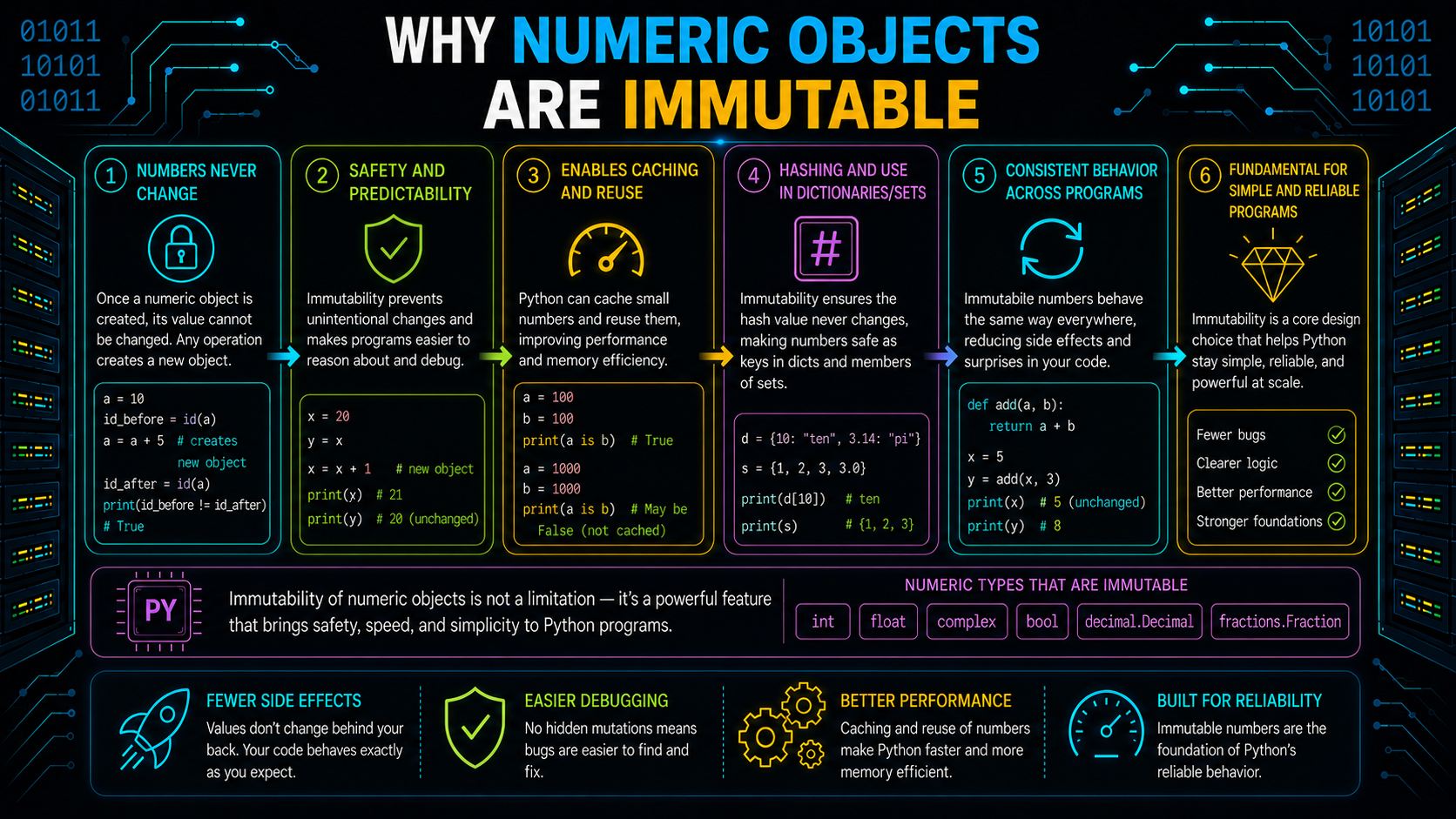
Like strings and tuples, numeric objects are immutable. Once created, their value cannot be modified.
x = 10
x = x + 5
Python creates a new numeric object with the value 15 and rebinds x to it. The original object remains unchanged.
Comparing Numeric Values
Use == to compare numeric values.
print(1 == 1.0)Output
TrueAlthough 1 and 1.0 have different types, Python considers them equal because they represent the same numeric value.
Avoid using is for numeric comparison because it checks object identity rather than value equality.
Choosing the Right Numeric Type
Different numeric types are designed for different use cases.
| Use Case | Recommended Type |
|---|---|
| Counting or indexing | int |
| Measurements | float |
| Financial calculations | Decimal |
| Exact ratios | Fraction |
| Scientific and engineering calculations | complex |
Selecting the appropriate type improves the accuracy, readability, and reliability of your programs.
Common Mistakes to Avoid
- Assuming float stores every decimal value exactly.
- Using == to compare floating-point values.
- Expecting int() to round instead of truncate.
- Confusing / with //.
- Using is instead of == for numeric comparisons.
Understanding these behaviors helps you write more predictable and accurate Python code.
Conclusion
Python's numeric system is designed around objects, with each numeric type offering distinct behavior and capabilities. By understanding arithmetic operators, type promotion, conversions, immutability, and comparisons, you can choose the right numeric type for each situation and write code that is both accurate and reliable.
Frequently Asked Questions
What are Python's built-in numeric data types?▾
Python provides four built-in numeric types: int, float, complex, and bool. For exact decimal and rational arithmetic, the standard library also includes Decimal and Fraction.
What is the difference between / and //?▾
/ performs true division and returns a float, while // performs floor division and returns the greatest integer less than or equal to the exact result.
Does int() round numbers?▾
No. int() truncates the fractional part. Use round() if you need rounding.
Should I use == or is to compare numbers?▾
Use == to compare numeric values. The is operator checks whether two references point to the same object.