
Python Tuples vs Lists: When Immutability Wins
Key Takeaways
- Understand what is a tuple and why Python includes tuples even though lists already exist.
- Learn why immutability is the defining characteristic of a Python tuple and how it influences program design.
- Discover why the comma, not the parentheses, creates a tuple, one of Python's most misunderstood syntax rules.
- Explore tuple packing, unpacking, indexing, slicing, equality, and hashing through practical examples.
- Compare tuples vs lists and learn when choosing an immutable data structure results in simpler, safer, and more maintainable code.
Introduction
"Not every collection of data is meant to change."
Imagine storing GPS coordinates, RGB color values, or a person's date of birth. These values describe something; they aren't expected to grow, shrink, or be rearranged during program execution. Treating such data as a mutable list introduces flexibility where none is needed.
That's exactly why Python provides tuples.
At first glance, a Python tuple looks almost identical to a list. Both preserve order, support indexing, and can store multiple data types. The real difference lies in their design: lists are built for modification, while tuples are built for stability. That distinction affects everything from how Python stores data to whether an object can be used as a dictionary key.
From this blog, you'll learn what is a tuple, how tuple literals work, why the comma matters more than parentheses, how packing and unpacking simplify assignments, and the difference between list and tuple in Python. More importantly, you'll understand when immutability wins, and why choosing a tuple can make your code more predictable, expressive, and reliable.
What Is a Tuple in Python?
A Python tuple is an ordered, immutable sequence that stores multiple objects in a single collection. Like lists, tuples preserve insertion order, support indexing and slicing, and can contain elements of different data types. Unlike lists, their contents cannot be modified after creation.
student = ("Alice", 20, "Computer Science")Because tuples cannot be changed, they are well suited for representing values that should remain constant throughout a program.
Define Tuple in Python
If you need to define tuple in Python, it can be described as:
A tuple is an ordered, immutable collection of object references that can store values of different data types.
Example:
person = ("John", 25, True)Here, the tuple stores a string, an integer, and a Boolean value in a single collection while preserving their order.
Why Tuples Exist
If lists can already store collections of values, why does Python also provide tuples?
Tuples exist to represent data that should not change after it is created. Their immutability communicates that the values are fixed, making programs easier to understand and reducing accidental modifications.
Common use cases include:
- Geographic coordinates
- RGB color values
- Dates
- Configuration settings
- Function return values
By distinguishing between mutable and immutable collections, Python allows developers to choose the most appropriate data structure for the problem.
Tuple Notation
The standard tuple notation uses comma-separated values, optionally enclosed in parentheses.
coordinates = (10, 20)Parentheses improve readability, but they are not what creates the tuple. The comma is what defines it.
For example, both statements create the same tuple:
coordinates = (10, 20)
coordinates = 10, 20
Understanding this distinction helps avoid subtle syntax errors.
Why the Comma Matters More Than Parentheses
One of the most important concepts about tuples is that the comma creates the tuple, not the parentheses.
Consider these examples:
value = (10)This is simply an integer.
value = (10,)This is a tuple containing one element.
Similarly,
value = 10,also creates a one-element tuple.
The trailing comma is required for single-element tuples because, without it, Python interprets the expression as a grouped value rather than a tuple.
Creating Tuples
Python provides multiple ways to create tuples depending on the source of the data.
The most common approach is using tuple literals.
colors = ("red", "green", "blue")You can also create a tuple from another iterable using the built-in tuple() function.
numbers = tuple([1, 2, 3])

print(numbers)
Output
(1, 2, 3)The tuple() function creates a new tuple from lists, strings, sets, and other iterable objects.
Tuple Literals
A tuple literal is the direct representation of a tuple in source code.
Examples:
empty = ()
numbers = (1, 2, 3)
mixed = ("Python", 3.13, True)
Tuple literals are concise, readable, and are the most common way to create tuples in Python.
Tuple Assignment in Python
Tuple assignment in Python allows multiple variables to be assigned in a single statement. Python automatically matches each variable with the corresponding element in the tuple.
Example:
point = (10, 20)
x, y = point
print(x)
print(y)
Output
10
20
The number of variables must match the number of tuple elements; otherwise, Python raises a ValueError.
Tuple Packing and Unpacking
Python automatically groups multiple values into a tuple, a process known as tuple packing.
employee = "Alice", 28, "Developer"Here, Python packs three values into a single tuple.
The reverse operation is called tuple unpacking, where each element is assigned to a separate variable.
name, age, role = employee
print(name)
print(role)
Output
Alice
Developer
Packing and unpacking make Python code more concise and are commonly used when functions return multiple values or when swapping variables without a temporary variable.
Accessing Tuple Elements
Like lists, a Python tuple stores elements in a specific order. Each element has a fixed position, allowing values to be accessed using indexing and slicing. Since tuples are immutable, these operations only retrieve data, they never modify the tuple.
Indexing
Indexing retrieves an element based on its position. Python uses zero-based indexing, so the first element is at index 0, the second at 1, and so on.
student = ("Alice", 20, "Computer Science")

print(student[0])
print(student[2])
Output
Alice
Computer Science
Because tuples provide direct positional access, retrieving an element by index is a constant-time operation.
Negative Indexing
Python also supports negative indexing, allowing elements to be accessed from the end of the tuple. The last element has an index of -1, the second last -2, and so forth.
student = ("Alice", 20, "Computer Science")

print(student[-1])
print(student[-2])
Output
Computer Science
20
Negative indexing is particularly useful when the tuple length is unknown or when only the last few elements are needed.
Slicing
Slicing retrieves a range of elements from a tuple. It follows the same syntax as list slicing.
Syntax
tuple[start:end:step]Example:
numbers = (10, 20, 30, 40, 50)

print(numbers[1:4])
Output
(20, 30, 40)A slice creates a new tuple containing the selected elements. The original tuple remains unchanged because tuples are immutable.
Tuple Operations in Python
Besides indexing and slicing, tuples support several operations for working with their contents.
| Operation | Example | Description |
|---|---|---|
| Indexing | t[0] | Access an element by position. |
| Slicing | t[1:4] | Retrieve a portion of the tuple. |
| Concatenation | t1 + t2 | Create a new tuple by combining tuples. |
| Repetition | t * 3 | Repeat tuple elements. |
| Membership | "Python" in t | Check whether an element exists. |
| Length | len(t) | Return the number of elements. |
Example:
languages = ("Python", "Java")

print(languages + ("Go",))
print(languages * 2)
print("Python" in languages)
Output
('Python', 'Java', 'Go')
('Python', 'Java', 'Python', 'Java')
True
Unlike lists, operations such as concatenation or repetition never modify the original tuple, they always produce a new one.
Tuple Methods in Python
Since tuples are immutable, they provide only two built-in methods.
| Method | Purpose |
|---|---|
| count() | Returns the number of occurrences of a value. |
| index() | Returns the position of the first matching value. |
Example:
numbers = (10, 20, 20, 30)
print(numbers.count(20))
print(numbers.index(30))
Output
2
3
Apart from these methods, tuples work with many built-in Python functions such as len(), min(), max(), sum(), and sorted() because they are iterable.
The limited set of tuple methods in Python reflects the tuple's immutable design, there are no methods for adding, removing, or updating elements.
Can You Append a Tuple?

No. A tuple does not support methods such as append(), extend(), insert(), or remove() because its contents cannot be changed after creation.
For example:
numbers = (1, 2, 3)

numbers.append(4)
Output
AttributeError: 'tuple' object has no attribute 'append'If you need to add an element, you must create a new tuple.
numbers = (1, 2, 3)

numbers = numbers + (4,)

print(numbers)
Output
(1, 2, 3, 4)This often leads beginners to search for "append tuple", but the correct approach is not to modify the existing tuple, instead, create a new tuple containing the additional element. If your collection needs frequent additions or removals, a list is the more appropriate data structure.
Tuple Is Mutable or Immutable?
A common question is whether a tuple is mutable or immutable.
A Python tuple is immutable, meaning its size and the references it stores cannot be changed after the tuple is created. You cannot add, remove, replace, or reorder its elements.
For example:
numbers = (10, 20, 30)

numbers[1] = 50
Output
TypeError: 'tuple' object does not support item assignmentThis immutability makes tuples suitable for representing data that should remain constant, such as coordinates, dates, or configuration values.
Shallow Immutability
Tuple immutability is shallow, not deep.
This means the tuple itself cannot be modified, but if one of its elements is a mutable object, that object can still change.
Example:
data = ([1, 2], "Python")

data[0].append(3)

print(data)
Output
([1, 2, 3], 'Python')The tuple still contains the same two references, so the tuple hasn't changed. However, the list inside the tuple has been modified because lists are mutable.
Understanding shallow immutability explains why an immutable tuple can still appear to change when it contains mutable objects.
Tuples Can Contain Mutable Objects
A tuple can store any Python object, including lists, dictionaries, and sets.
Example:
student = (
    "Alice",
    ["Python", "Java"]
)

student[1].append("C++")

print(student)
Output
('Alice', ['Python', 'Java', 'C++'])Notice what happened:
- The tuple itself was not modified.
- The list stored inside the tuple was modified.
If you want a tuple to be completely immutable, every element inside it must also be immutable.
Tuple Equality
Two tuples are considered equal when they:
- have the same number of elements, and
- each corresponding element is equal.
Example:
t1 = (10, 20, 30)
t2 = (10, 20, 30)
t3 = (10, 20, 40)

print(t1 == t2)
print(t1 == t3)
Output
True
False
Python compares tuple elements from left to right until it finds a difference or reaches the end of both tuples.
Tuple Hashing
One practical advantage of tuple immutability is that tuples can be hashable.
A tuple is hashable only if every element it contains is also hashable. Hashable tuples can be used as:
- dictionary keys
- set elements
Example:
location = (17.3850, 78.4867)

cities = {
    location: "Hyderabad"
}

print(cities[location])
Output
HyderabadHowever, if a tuple contains a mutable object such as a list, it is no longer hashable.
data = ([1, 2], 3)Using this tuple as a dictionary key raises a TypeError because lists themselves are not hashable.
Returning Multiple Values from Functions
Python functions often return multiple values. Internally, these values are returned as a tuple, even if parentheses are omitted.
Example:
def get_student():
    return "Alice", 20

student = get_student()

print(student)
Output
('Alice', 20)The returned tuple can also be unpacked directly.
name, age = get_student()
print(name)
print(age)
Output
Alice
20
This feature makes returning related values concise without creating a separate data structure.
Tuples as Lightweight Records
A tuple can represent a small group of related values that belong together and are not expected to change.
Examples include:
Geographic coordinates
location = (17.3850, 78.4867)RGB color values
color = (255, 165, 0)Date
today = (5, 8, 2026)In these cases, the values describe a single entity rather than a collection that will grow or shrink.
Using a tuple communicates that the data is fixed, making the code more expressive. If the values need descriptive field names or complex behavior, a namedtuple or dataclass is often a better choice.
Difference Between List and Tuple in Python
Lists and tuples are both ordered collections that support indexing, slicing, and iteration. The key difference is that lists are mutable, whereas tuples are immutable. This difference affects how they are used, how they behave, and the operations they support.
| Feature | Python List | Python Tuple |
|---|---|---|
| Syntax | Uses square brackets [] | Uses parentheses () (or simply commas) |
| Mutability | Mutable – elements can be added, removed, or modified. | Immutable – elements cannot be added, removed, or replaced after creation. |
| Order | Preserves insertion order. | Preserves insertion order. |
| Duplicates | Allows duplicate elements. | Allows duplicate elements. |
| Data Types | Can store elements of different data types. | Can also store elements of different data types. |
| Size | Can grow or shrink dynamically. | Fixed after creation. |
List vs Tuple: A Practical Example
student_list = ["Alice", 20]
student_tuple = ("Alice", 20)

student_list[1] = 21      # Valid
student_tuple[1] = 21     # TypeError
Although both store the same data, the list allows modification while the tuple preserves its original values.
Understanding the difference between list and tuple helps you choose the data structure that best reflects the nature of your data rather than simply storing values.
When Should You Choose Tuples?
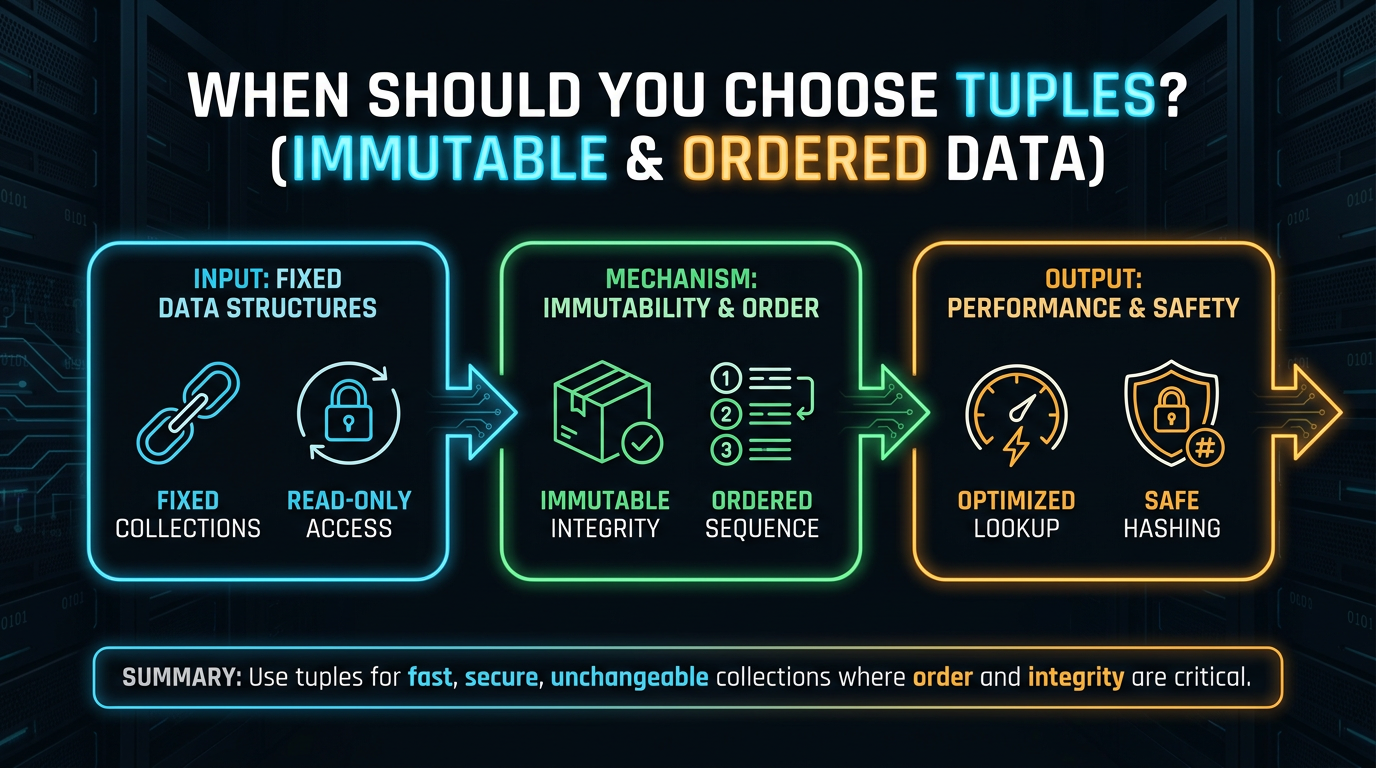
Choose a Python tuple when the collection represents data that should remain unchanged after creation.
Common use cases include:
- Geographic coordinates
- Dates and timestamps
- RGB color values
- Configuration settings
- Function return values
- Dictionary keys (when all elements are hashable)
For example:
coordinate = (17.3850, 78.4867)The latitude and longitude describe a single location and are not expected to change, making a tuple a natural choice.
Use a list instead when the collection needs to grow, shrink, or be updated frequently.
List of Tuples
A list of tuples combines two data structures:
- the list stores multiple records,
- each tuple represents one fixed record.
Example:
students = [
    ("Alice", 85),
    ("Bob", 91),
    ("Charlie", 88)
]
Accessing a record:
print(students[1])Output
('Bob', 91)Accessing an individual value:
print(students[1][0])Output
BobA list of tuples is commonly used for:
- Student records
- Database query results
- Product catalogs
- Coordinates
- Employee information
The list can grow or shrink as records are added or removed, while each tuple preserves the integrity of an individual record.
Best Practices
- Use tuples for values that should remain constant throughout program execution.
- Choose lists when elements need to be added, removed, or modified.
- Use tuple unpacking to make assignments more readable.
- Store related values together in a tuple instead of using multiple independent variables.
- Use tuples as dictionary keys only when every element is hashable.
- Prefer tuples for lightweight records that do not require modification.
Common Mistakes
Forgetting the Comma in a Single-Element Tuple
value = (10)This creates an integer, not a tuple.
Correct:
value = (10,)Expecting Tuples to Support append()
Tuples do not provide methods such as append(), extend(), or remove() because they are immutable.
Assuming Everything Inside a Tuple Is Immutable
A tuple cannot be modified, but mutable objects stored inside it can.
data = ([1, 2],)

data[0].append(3)
The tuple remains unchanged, while the list inside it is modified.
Confusing Assignment with Copying
t1 = (1, 2, 3)
t2 = t1
Both variables reference the same immutable tuple. Although this is generally safe because tuples cannot be modified, understanding object references remains important when working with Python objects.
Using Tuples for Frequently Changing Data
If elements need to be updated regularly, a list is a better choice. Recreating tuples repeatedly can make code less efficient and less readable.
Summary
Although lists and tuples appear similar, they serve different purposes. A Python tuple is designed for storing fixed collections of data, while a list is intended for collections that change over time. In this guide, you learned what is a tuple, how tuple literals, packing, unpacking, indexing, and slicing work, why tuple immutability is shallow, how tuples support equality and hashing, and how they differ from lists. Choosing between a tuple and a list is not just about syntax; it is about selecting the data structure that best represents your data. When values are meant to remain constant, tuples communicate that intent clearly, resulting in code that is safer, more expressive, and easier to maintain.
Frequently Asked Questions
What is a tuple in Python?▾
A Python tuple is an ordered, immutable collection that stores references to one or more objects. It supports indexing, slicing, iteration, and unpacking.
Is a tuple mutable or immutable?▾
A tuple is immutable, meaning its elements cannot be added, removed, or replaced after creation.
Can a tuple contain a list?▾
Yes. Tuples can contain mutable objects such as lists. Although the tuple itself cannot change, the list stored inside it can.
What are the tuple methods in Python?▾
A tuple provides only two built-in methods:
count()
index()
All other common operations are performed using built-in Python functions such as len(), max(), and sum().
What is the difference between a list and a tuple in Python?▾
The primary difference is mutability. Lists can be modified after creation, whereas tuples cannot. Tuples are often used for fixed collections, while lists are intended for dynamic data.
Why are tuples used as dictionary keys?▾
Tuples are immutable and hashable when all their elements are hashable. This allows them to be used safely as dictionary keys, unlike lists.