Key Highlights
- A program becomes a process only when it starts executing.
- Every running process has its own Process ID (PID), memory, and execution context.
- The operating system manages process creation, execution, memory allocation, and CPU scheduling.
- A process can contain one or more threads that work together to complete tasks.
- Understanding program execution helps you learn operating systems, Python, memory management, and concurrent programming more effectively.
Introduction
Double-click a web browser.
Within seconds, a new window appears. You type a URL, press Enter, and the webpage loads almost instantly.
From a user's perspective, it's just another application opening.
Inside the computer, however, something much bigger has happened.
The operating system has created a new process, assigned memory, allocated CPU time, loaded the program into memory, and started executing thousands of instructions in sequence. Every application you use — from a calculator to a video editor — follows this same journey.
Understanding what happens behind the scenes helps you move beyond simply writing code. It explains how computers execute programs, manage resources, and run multiple applications at the same time.
Program vs Process
Many beginners use the terms program and process interchangeably, but they are not the same.
A program is a collection of instructions stored on a storage device. It remains inactive until someone runs it.
A process is a program that is currently being executed.
Think of it this way.
A recipe written in a cookbook is like a program. It contains instructions but doesn't produce anything by itself.
Once a chef starts following that recipe in the kitchen, those instructions become a real cooking activity. That's similar to a process.
For example, Google Chrome installed on your computer is a program. When you open Chrome, the operating system creates one or more running processes to execute it.
In simple terms:
Program: Stored instructions.
Process: Instructions currently being executed.
What Happens When You Run a Program?
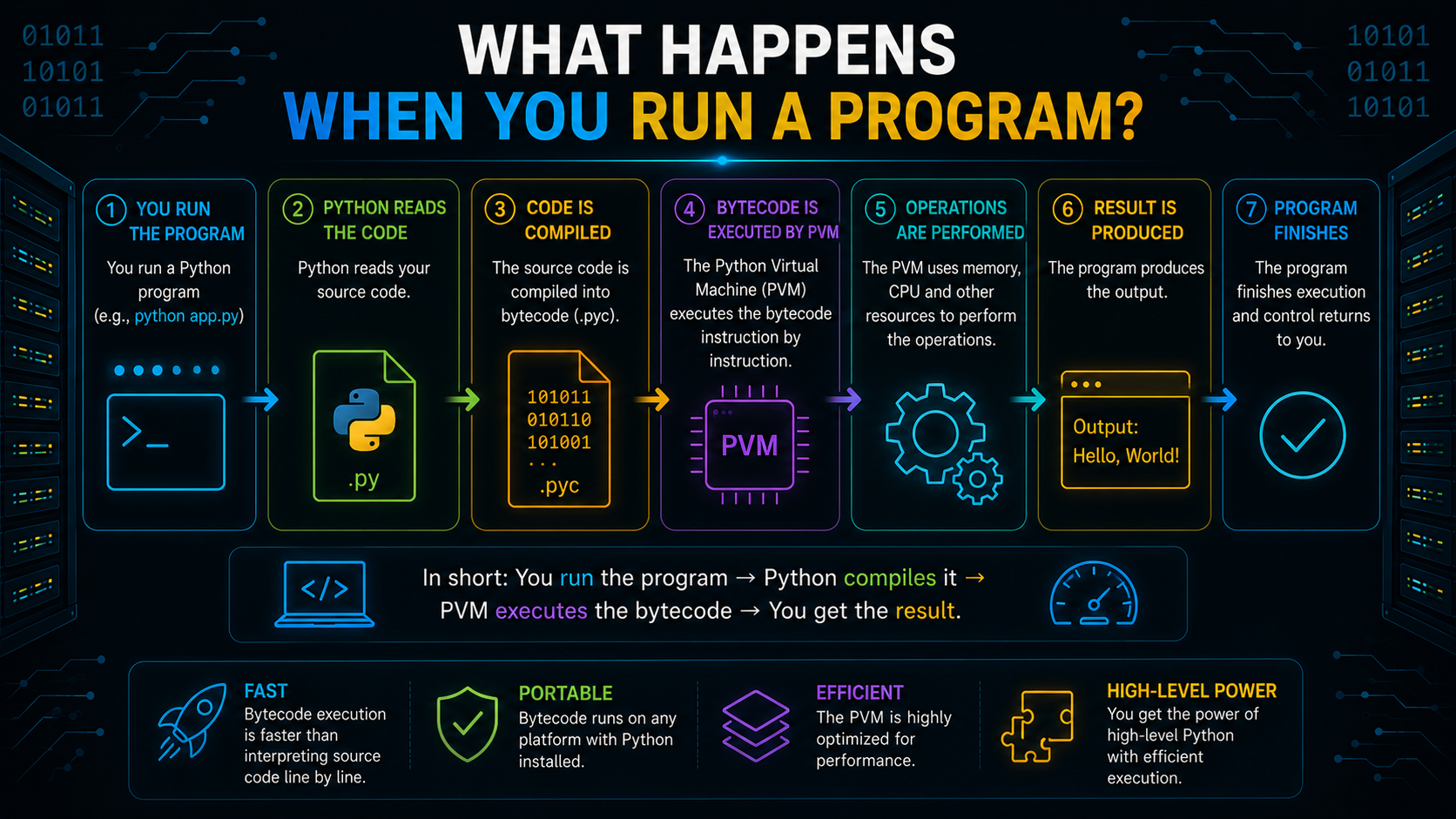
Running a program involves much more than simply opening a file.
The operating system performs several steps before the application becomes usable.
Step 1: The Program Is Loaded
When you launch an application, the operating system locates its executable file and prepares it for execution.
Step 2: A Process Is Created
The operating system creates a new process and allocates the resources it needs, including memory, CPU time, and system information.
Step 3: Memory Is Allocated
Different parts of the program are loaded into memory so the processor can access them quickly during execution.
Step 4: Execution Begins
The CPU starts executing the program's instructions one by one until the application finishes or is closed.
Although these steps happen within milliseconds, every application follows this same execution process.
What Is a Process?
A process is an active instance of a program that is currently running.
Unlike a stored program, a process has everything required for execution, including:
- A unique Process ID (PID)
- Allocated memory
- CPU execution state
- Open files and resources
- Information managed by the operating system
Each running application on your computer exists as one or more active processes.
Process ID (PID)
Every process created by the operating system receives a unique identifier called a Process ID (PID).
The PID allows the operating system to distinguish one process from another.
For example, your browser, music player, and code editor may all be running simultaneously, but each has its own unique Process ID that helps the operating system manage them independently.
Process Control Block (PCB)
Whenever a process is created, the operating system stores important information about it inside a Process Control Block (PCB).
You can think of the PCB as the operating system's record for a running process.
It typically stores information such as:
- Process ID
- Current process state
- CPU register values
- Memory information
- Scheduling details
- Open resources
Instead of repeatedly searching for information, the operating system simply reads the PCB whenever it needs to manage a process.
Process Lifecycle
A process doesn't remain in the same state throughout its execution.
It moves through different process states depending on what it's doing.
The common stages include:
New — The operating system creates the process.
Ready — The process has everything it needs except CPU time.
Running — The CPU is actively executing its instructions.
Waiting — The process temporarily pauses while waiting for an event, such as reading a file or receiving user input.
Terminated — The process finishes execution, and the operating system releases its resources.
Understanding the process lifecycle helps explain why multiple applications can remain open even when only one is actively using the processor.
CPU Scheduling
Your computer often runs dozens of active processes at the same time.
Since a processor can execute only a limited number of instructions at any instant, the operating system decides which process should run next.
This decision-making mechanism is called CPU scheduling or process scheduling.
The scheduler quickly switches between processes, giving each one a small amount of CPU time.
Because these switches happen extremely fast, users experience smooth multitasking.
Context Switching
Suppose you're listening to music while downloading a file and writing code.
The processor rapidly moves between these tasks.
Before switching, the operating system saves the current execution details of one process and restores the information for another.
This operation is known as context switching.
Although context switching makes multitasking possible, excessive switching can reduce overall performance because the processor spends time saving and restoring execution information.
Threads: Multiple Paths Inside a Process
A process can perform more than one task at a time.
Instead of creating separate processes for every small task, applications often create threads.
A thread is the smallest unit of execution inside a process.
All threads within the same process share resources such as memory but execute different instructions independently.
For example, while a browser loads a webpage, another thread may download images and another may respond to your mouse clicks.
This improves responsiveness without creating multiple independent processes.
Multithreading and Concurrency
Multithreading allows a process to execute multiple threads concurrently.
This doesn't always mean they run at the exact same instant. Instead, the operating system schedules them so efficiently that they appear to run together.
This concept is known as concurrency.
On computers with multiple CPU cores, some threads may even execute in parallel, improving performance for suitable workloads.
Programming languages such as Python also support Python threading, allowing developers to build responsive applications for tasks like file handling, networking, and user interfaces.
Process Memory Layout
Every process receives its own memory space while it runs.
Although the exact layout depends on the operating system, it generally includes:
- Program instructions
- Global variables
- Heap memory
- Stack memory
This separation helps protect processes from interfering with one another and makes memory management more efficient.
Stack vs Heap
Two important memory regions used during program execution are the stack and the heap.
Stack memory stores temporary information such as function calls, local variables, and stack frames. It is automatically managed and very fast.
Heap memory stores dynamically allocated data that may exist beyond a single function call. It offers greater flexibility but requires careful memory management.
Understanding stack vs heap becomes increasingly important when learning programming languages and optimizing application performance.
Why Should Programmers Understand Processes?
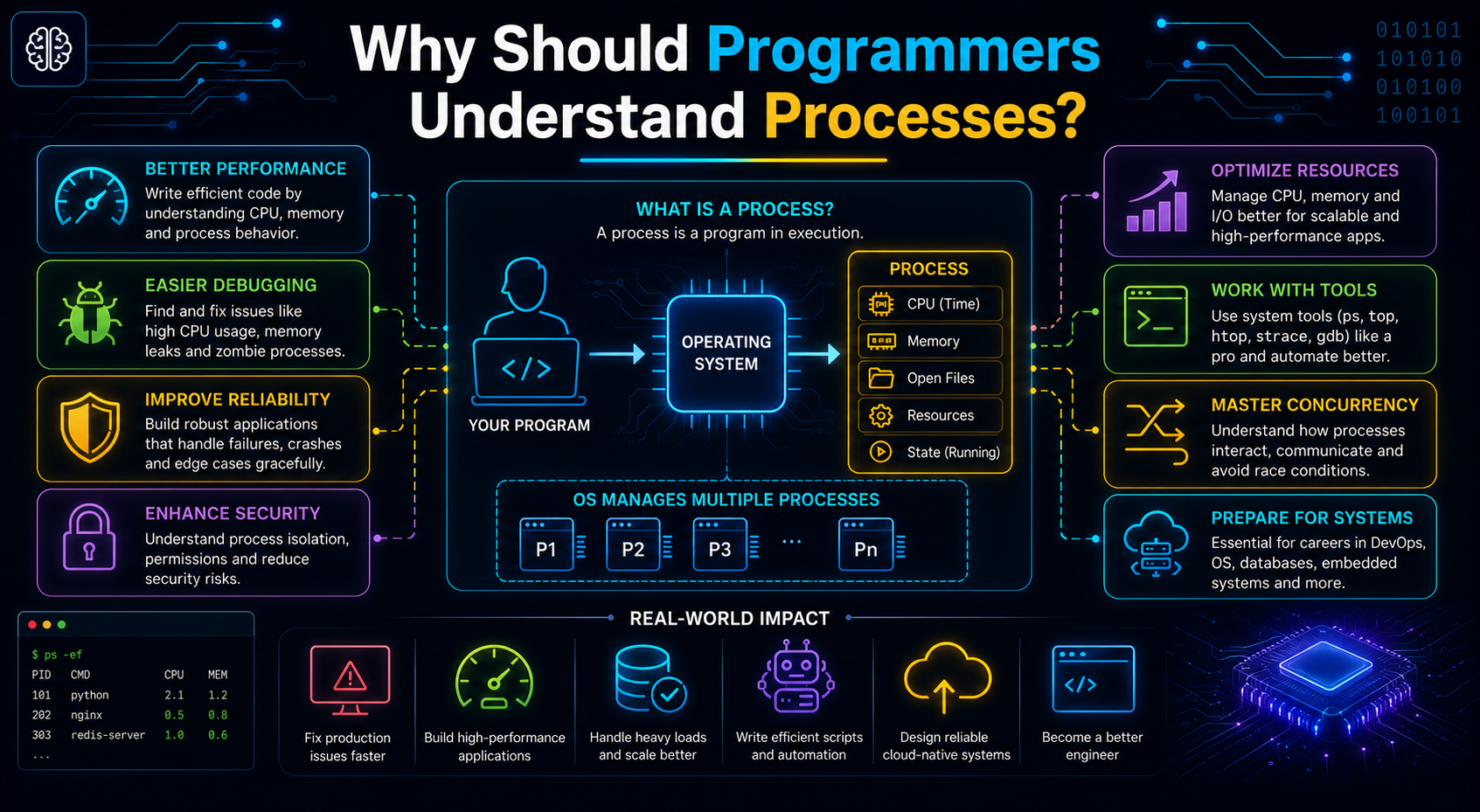
Every line of code you write eventually becomes a running process managed by the operating system.
Knowing how processes execute helps you:
- Write more efficient programs.
- Understand memory usage.
- Learn multithreading and multiprocessing more easily.
- Build applications that use system resources effectively.
- Debug performance issues with greater confidence.
Whether you're learning Python, Java, or C++, these concepts form the foundation of modern software development.
Conclusion
Running a program involves much more than opening an application. The operating system creates a process, allocates memory, schedules CPU time, manages execution, and coordinates multiple components to ensure everything runs smoothly. By understanding processes, threads, memory, and execution, you gain a clearer picture of how software interacts with hardware. These fundamentals not only strengthen your understanding of operating systems but also make advanced topics like concurrency, memory management, and Python programming much easier to learn.
Frequently Asked Questions
What is the difference between a program and a process?
A program is a stored set of instructions, while a process is a program that is actively running with allocated memory and system resources.
What is the purpose of a Process Control Block (PCB)?
A PCB stores information about a running process, including its Process ID, state, memory details, and scheduling information.
What is the difference between a process and a thread?
A process is an independent execution unit with its own memory space, whereas a thread is a lightweight execution path that shares the process's resources.
What is the difference between stack memory and heap memory?
Stack memory stores function calls and local variables temporarily, while heap memory stores dynamically allocated objects that may persist longer.
How does Python manage memory?
Python automatically allocates memory for objects and uses garbage collection to reclaim memory occupied by objects that are no longer in use.